

This list is updated on June 19 2024
Released Models: See here
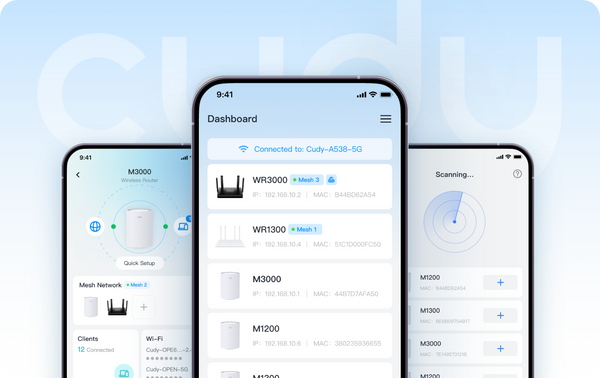
After clicking into the model list, you may filter the variants of "Cudy App" and "Cudy App Local" in the filter option "Advanced". Models with "Cudy App" offer both local and remote management methods. Models with "Cudy App Local" support local management method, which mean user can control the device while connected to it.
Coming Soon in June:
- Range Extenders: RE1200 Outdoor*
- 4G/5G: LT15V, LT700V
Please ensure your device's firmware is up-to-date before using the App control feature. Here is a FAQ of how to upgrade your firmware.
We welcome you to share your thoughts and advice by commeting below this article.
About Cudy
Founded in 2018 and headquartered in Shenzhen, Cudy is a highly competitive tech-driven company in the R&D and manufacturing of wireless and networking products. The product portfolio covers Wi-Fi Mesh Routers, OpenWRT Routers, Repeaters, 4/5G CPE Routers, PoE, Switches, and Smart Home IoT Devices.PR contact: pr@cudy.com
Cudy@LinkedIn
Cudy@Facebook
674 comments
I want to know when my WR3600H V1.0 router will be updated to firmware version 2.5 so I can take advantage of the new features.
@প্রিয় Mdnannu,
যদি আপনি রাউটারের ওয়েব ম্যানেজমেন্ট পেজে লগইন করার জন্য প্রশাসকের পাসওয়ার্ড ভুলে যান, তাহলে আপনি প্রায় ৩ সেকেন্ডের জন্য রিসেট বোতামটি চেপে ধরে রাউটারটিকে ফ্যাক্টরি ডিফল্টে রিসেট করার চেষ্টা করতে পারেন। যখন LED ফ্ল্যাশ করবে তখন আপনি রিসেট বোতামটি ছেড়ে দিতে পারেন। রাউটারের ওয়েব পেজে প্রথমবার লগইন করার সময় আপনাকে অবশ্যই একটি নতুন পাসওয়ার্ড তৈরি করতে হবে।
রিসেট করার পর আপনাকে রাউটারটি আবার কনফিগার করতে হবে।
“পাসওয়ার্ড ভুলে গেছি”
পাসওয়ার্ড ভুলে গেছি
@Dear ismail,
Why do you can’t open your Cudy ID? You can register one with your email address.
“I can’t open my cudy ID, now how do I manage my Lt400 WiFi?”
@Dear Imran wifi 5G, I need some more information to fix this issue.
1. What is the model of your Cudy product? You can check the model on the label at the bottom of the device.
2. What is the problem like? Would you please record a video to show me the problem. I will check.
3. How do you connect the device?
4. What have you set on the device?
“Please your help me”