


Amazon A+ Content
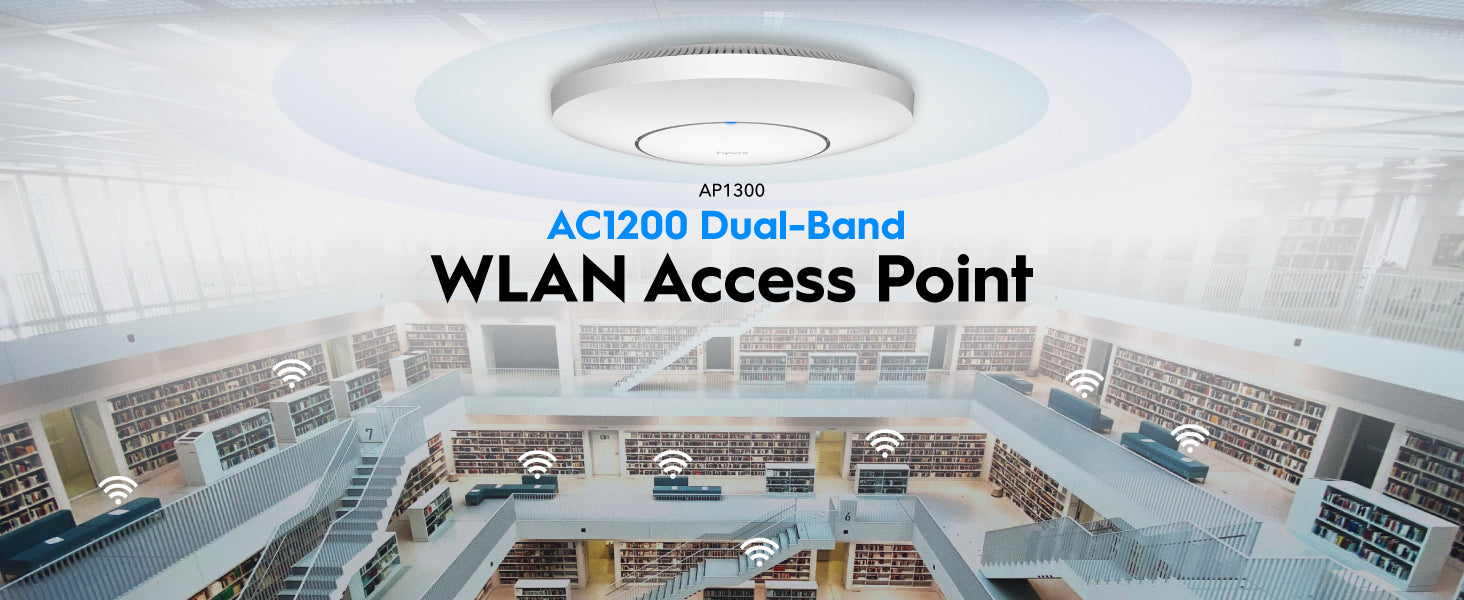
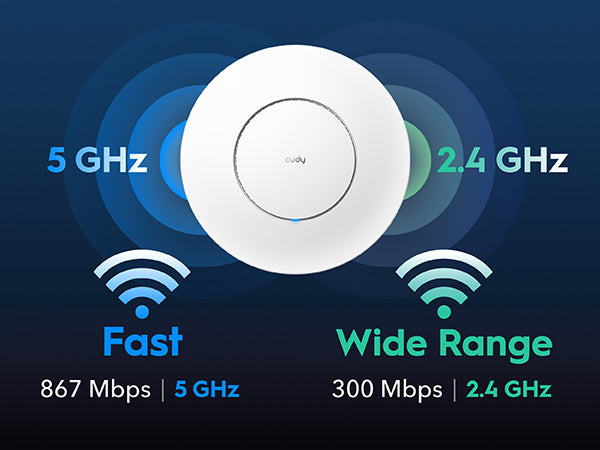
Crea un Wi-Fi aziendale più veloce e più ampio
Crea un Wi-Fi aziendale più veloce e più ampio
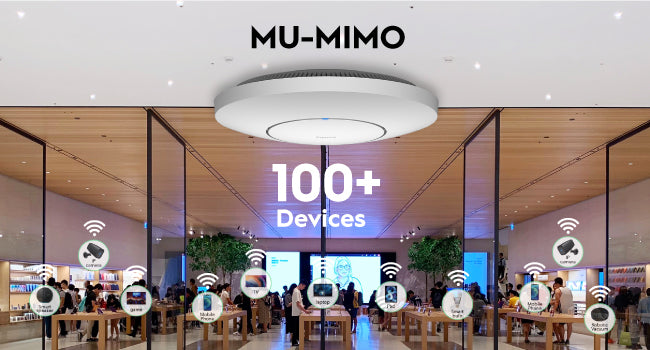
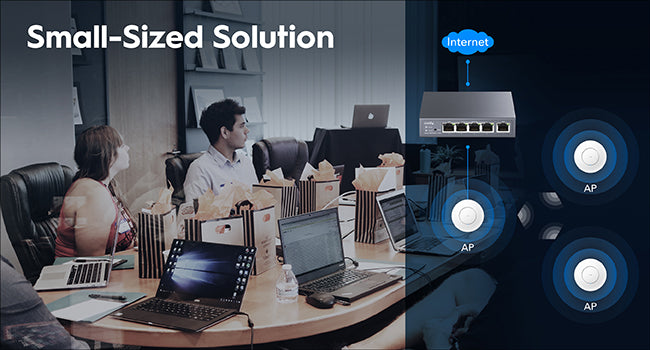
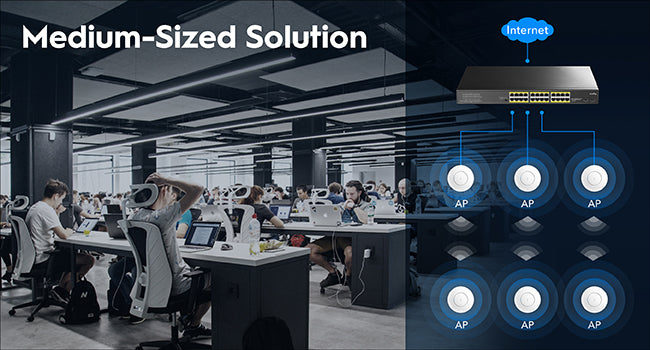
Collega più dispositivi
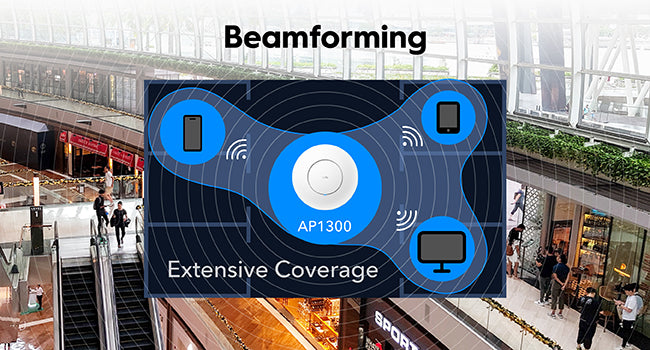
Copertura potenziata
Copertura perfetta con roaming veloce
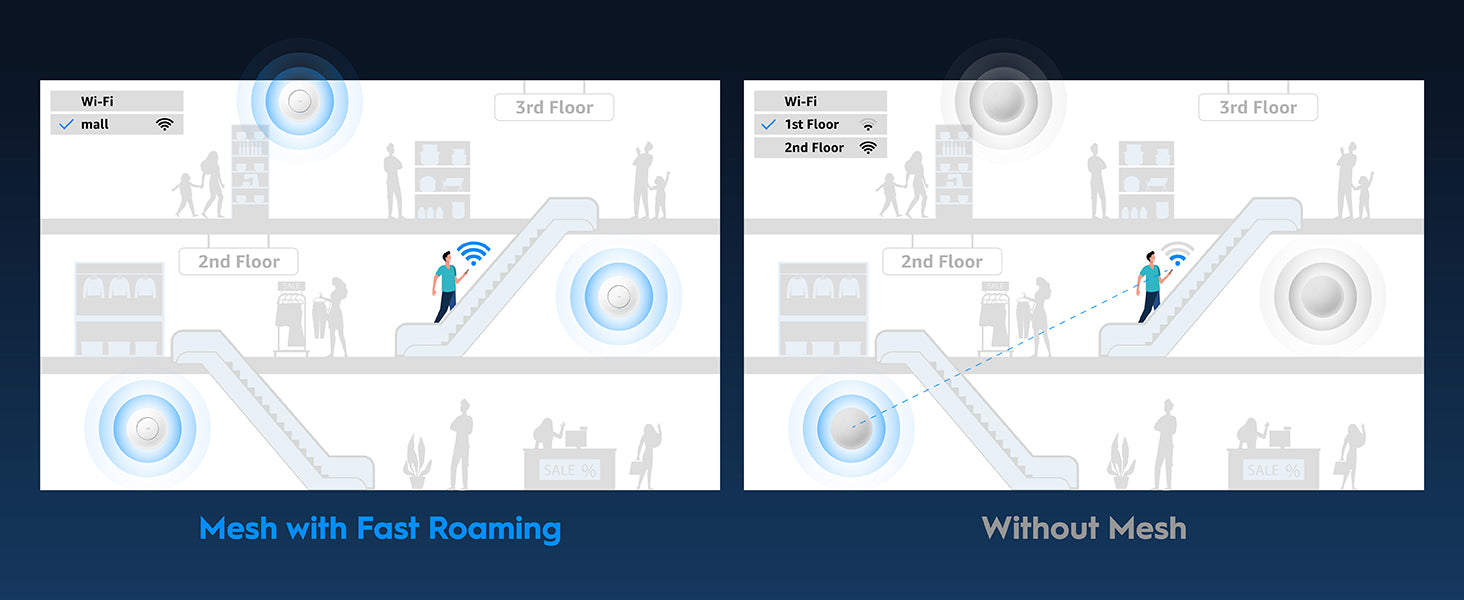
Funzionalità aziendali avanzate
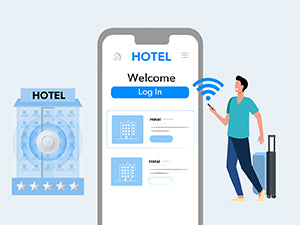
Portale prigioniero
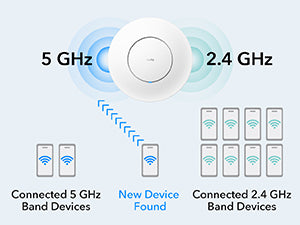
Direzione della banda

Selezione automatica del canale
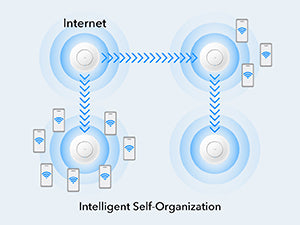
Ottimizzazione automatica della mesh
Backhaul ibrido cablato e wireless flessibile
Backhaul mesh wireless semplice
Backhaul ibrido per prestazioni più elevate
Modalità multipla per scenari multipli
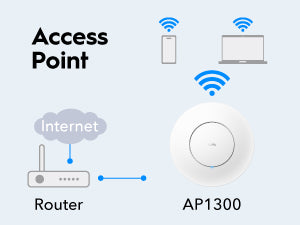
Punto di accesso
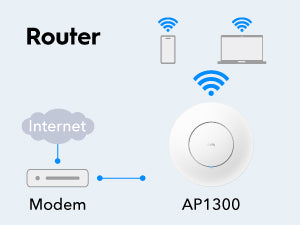
Router Wi-Fi
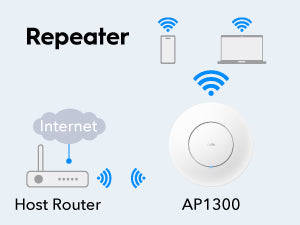
Estensore di portata
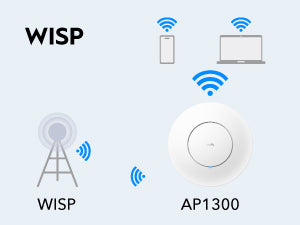
WISP
Alimentazione e installazione versatili
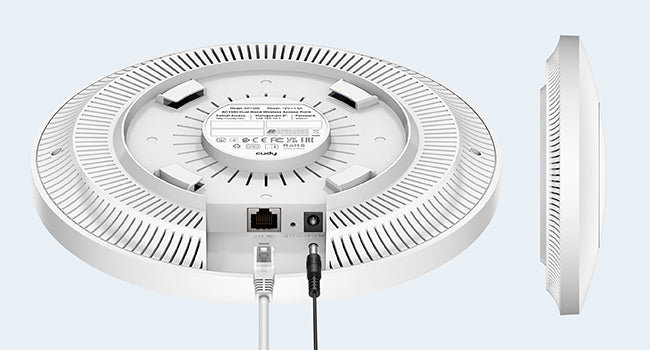
PoE o alimentazione CC
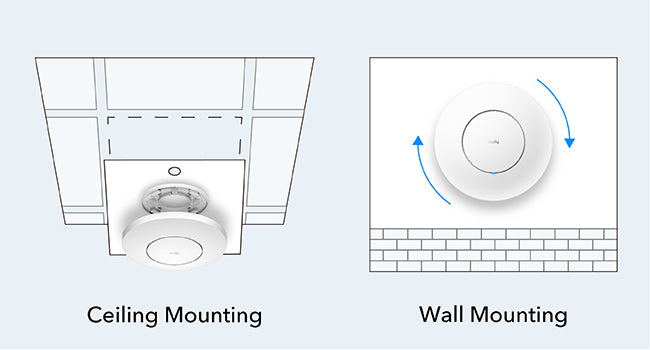
Montaggio versatile
| Versione del modello | ||
|---|---|---|
| Versione del modello | AP1300 1.0 | |
| CPU | ||
| CPU | CPU Details | 880 MHz Dual-Core CPU |
| Memory/Storage | ||
| Memory/Storage | Flash/ROM | 16 MB (128 Mbit) NOR |
| DDR/RAM | 128 MB (1 Gbit) DDR3 | |
| Wireless | ||
| Wireless | 5 GHz Wi-Fi Speed | 867 Mbps |
| 2.4 GHz Wi-Fi Speed | 300 Mbps | |
| 5 GHz Wi-Fi Streams | 2 Spatial Streams | |
| 2.4 GHz Wi-Fi Streams | 2 Spatial Streams | |
| Wi-Fi Antennas | 4× Internal | |
| FEM or PA/LNA | 5 GHz: 2× Internal, 2.4 GHz: 2× Internal | |
| Beamforming | ||
| Range Performance |
Max: 170 m (558 ft) Tested in open-space environments with minimal interference. Actual WiFi range may vary depending on layout and wall materials. Refer to the Wall Performance specifications for placement suggestions. |
|
| Wall Performance |
Two wooden walls with thickness < 10 cm (4'') One concrete wall with thickness < 20 cm (7'') |
|
| Interfaces | ||
| Interfaces | Gigabit RJ45 Ports | 1 |
| Ethernet Notes | ETH0: PoE In | |
| Buttons and LEDs | ||
| Buttons and LEDs | LED | System |
| Physical Buttons | Reset Button | |
| Power | ||
| Power | Power Input Type |
|
| Power Methods |
|
|
| Power Input |
|
|
| Max Power Consumption (W) | 11W (PoE), 7.5W (DC) | |
| Idle Power Consumption (W) | 4.008W | |
| Power Adapter In the Box |
AP1300 | No adapter in the box AP1300_P | PoE adapter in the box: Input: 100-240V~, 50/60Hz Output: 48V⎓ Passive PoE |
|
| Reliability | ||
| Reliability | Advanced | Hardware Watchdog |
| EMC | ESD: Contact: 4kV; Air: 8kV | |
| Environment |
Operating Temperature: -10 ℃ ~ 65 ℃ (14 ℉ ~149 ℉) Storage Temperature: -40 ℃ ~ 70 ℃ (-40 ℉ ~ 158 ℉) Operating Humidity: 10% ~ 90% non-condensing Storage Humidity: 5% ~ 90% non-condensing |
|
| Certifications | ||
| Certifications | FCC, CE | |
| Mechanical | ||
| Mechanical | Installation |
|
| Dimension |
Φ231.9×57.1 mm Φ9.13×2.25 inches |
|
| Product Weight |
|
|
| Package Content | ||
| Package Content |
|
|
| Ordering Information | ||
| Ordering Information | Retail Package Weight |
|
| Retail Package Dimension |
283×238×68 mm 11.14×9.37×2.68 inches |
|
| Units per Carton | 20 | |
| Carton Net Weight |
|
|
| Carton Gross Weight |
|
|
| Carton Dimension |
58×37.5×49.5 cm 22.83×14.76×19.49 inches |
|
| Compatibility | ||
| Compatibility | Compatible Products | C200P 1.0, C500P 1.0 |
| Versione del modello | ||
|---|---|---|
| Versione del modello | AP1300 1.0 | |
| Wireless | ||
| Wireless | Wi-Fi Standards | Wi-Fi 5 |
| Max Wi-Fi Modulation | 256-QAM | |
| Wi-Fi Efficiency | MU-MIMO | |
| Wi-Fi Efficiency Note | MU-MIMO available on 5 GHz | |
| Max Capacity | 128 | |
| Recommended Client Upper Limit | 100 | |
| Wi-Fi Channel Width | Auto/20/40/80 MHz | |
| Wi-Fi Security | WPA/WPA2/WPA3 | |
| Multi-SSID (Max Number) | 8 SSIDs (Up to 4 SSIDs on each band), VLAN Support | |
| WPS | ||
| General | ||
| General | Operation Modes |
|
| Mesh | Cudy Mesh | |
| Mesh Backhaul |
|
|
| Multi-Band Backhaul | ||
| WAN Mode |
|
|
| Internet Failover Sequence |
|
|
| Management | ||
| Management | Multi-AP Management | Via Cudy AP Controller |
| All Devices Management |
|
|
| Per-Devices Management |
|
|
| Content Management |
|
|
| Network | ||
| Network | QoS | Per-User Rate Limiting |
| DHCP |
|
|
| IP Versions | IPv4/IPv6 | |
| IPv6 Protocols |
|
|
| Multicast | ||
| IPTV/VLAN | Tag VLAN | |
| TTL Customization |
|
|
| IGMP |
|
|
| Forwarding |
|
|
| Firewall |
|
|
| Application Layer Gateway |
|
|
| Utilities | ||
| Utilities | Captive Portal | |
| Captive Portal Authentication | No Authentication, Local Password, External Portal Server | |
| VPN Server |
|
|
| VPN Client |
|
|
| DNS Options |
|
|
| DNS over TLS Providers |
|
|
| Wake on LAN | ||
| Online Detection | ||
| System | ||
| System | LED Control | |
| Local Control Method |
|
|
| Remote Control Method |
|
|
| Firmware Upgrade |
|
|
| Reliability |
|
|
| Diagnostic Tools |
|
|
| Languages |
|
|
| Dashboard | ||
| Dashboard | Panel |
|
| Charts |
|
|
- La velocità effettiva dei dati wireless varierà in base alle condizioni della rete, alle limitazioni del client e a fattori ambientali tra cui la disposizione dell'edificio, gli ostacoli e la posizione del client.
- Le prestazioni effettive per più dispositivi potrebbero essere influenzate dai tipi di applicazioni utilizzate, dalla larghezza di banda totale disponibile e dalle funzionalità dei dispositivi. Il collegamento di dispositivi Wi-Fi meno recenti (standard legacy) può ridurre l'efficienza complessiva. L'utilizzo delle funzionalità di efficienza richiede dispositivi client compatibili che supportino anche tali funzionalità. Puoi trovare ulteriori informazioni sulle funzionalità di efficienza supportate nella sezione software del foglio di calcolo delle specifiche.
- La dichiarazione di copertura wireless serve solo come riferimento. Le prestazioni di copertura varieranno a causa di fattori ambientali tra cui la disposizione dell'edificio, gli ostacoli, il volume e la densità del traffico e la posizione del dispositivo. Per una copertura ottimale, posizionare il dispositivo in una posizione centrale all'interno dell'area che richiede Wi-Fi.
- Cudy AP Controller is required to enable this feature.