
WR3000
2.0
Phase-Out
Amazon A+ Content


Il Wi-Fi 6 più veloce elimina le limitazioni
Il Wi-Fi 6 più veloce elimina le limitazioni
Copertura potenziata, latenza inferiore

Direzione rilevata, segnale potenziato

Combo più facili nei giochi

Connettiti di più, rimani veloce
Connettiti di più, rimani veloce

Funzionalità versatili
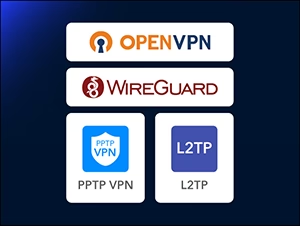
Server e client VPN

Crittografia DNS
Cudy Mesh pronto

IPTV

Applicazione Cudy
Applicazione Cudy


| Versione del modello | ||
|---|---|---|
| Versione del modello | WR3000 2.0 | |
| CPU | ||
| CPU | CPU Details | 1.2 GHz Dual-Core |
| Memory/Storage | ||
| Memory/Storage | Flash/ROM | 128 MB (1 Gbit) NAND |
| DDR/RAM | 128 MB (1 Gbit) DDR3 | |
| Wireless | ||
| Wireless | 5 GHz Wi-Fi Speed | 2402Mbps |
| 2.4 GHz Wi-Fi Speed | 574 Mbps | |
| 5 GHz Wi-Fi Streams | 2 Spatial Streams | |
| 2.4 GHz Wi-Fi Streams | 2 Spatial Streams | |
| Wi-Fi Antennas | 4× Fixed | |
| FEM or PA/LNA | 5 GHz: 2× Internal, 2.4 GHz: 2× Internal | |
| Beamforming | ||
| Range Performance |
Max: 200 m (656 ft) Tested in open-space environments with minimal interference. Actual WiFi range may vary depending on layout and wall materials. Refer to the Wall Performance specifications for placement suggestions. |
|
| Wall Performance |
Two wooden walls with thickness < 10 cm (4'') One concrete wall with thickness < 20 cm (7'') or two concrete walls with thickness < 10 cm (4'') |
|
| Interfaces | ||
| Interfaces | Gigabit RJ45 Ports | 4 |
| Ethernet Notes | 1× WAN port, the rest are LAN ports | |
| LED | System, Internet, WAN, LAN, 2.4 GHz Wi-Fi, 5 GHz Wi-Fi | |
| Physical Buttons | WPS Button, Reset Button | |
| Power | ||
| Power | Power Input Type | DC Jack |
| Power Methods | DC | |
| Power Input | 12V⎓1A | |
| Max Power Consumption (W) | 8.8w | |
| Idle Power Consumption (W) | 2.5w | |
| Power Adapter In the Box |
Input: 100-240V~, 50/60Hz Output: 12V⎓1A |
|
| Reliability | ||
| Reliability | Environment |
|
| Certifications | ||
| Certifications | FCC, CE | |
| Mechanical | ||
| Mechanical | Installation |
|
| Dimension |
Main Part: 183.3×109×35 mm 7.22×4.29×1.38 inches |
|
| Product Weight | 252.5 g (8.91 oz.) | |
| Package Content | ||
| Package Content |
|
|
| Ordering Information | ||
| Ordering Information | Retail Package Weight | EU: 579.0 g (20.42 oz.) |
| Retail Package Dimension |
240×230×60 mm 9.45×9.06×2.36 inches |
|
| Units per Carton | 20 | |
| Carton Dimension |
49.5×32.5×48 cm 19.49×12.8×18.9 inches |
|
| Carton Gross Weight | EU: 12.5 kg (27.56 lbs) | |
| Carton Net Weight | EU: 11.6 kg (25.57 lbs) | |
| Versione del modello | ||
|---|---|---|
| Versione del modello | WR3000 2.0 | |
| Wireless | ||
| Wireless | Wi-Fi Standards | Wi-Fi 6 |
| Separate Client | ||
| Max Wi-Fi Modulation | 1024-QAM | |
| Wi-Fi Efficiency |
|
|
| Max Capacity | 128 | |
| Recommended Client Upper Limit | 70 | |
| Wi-Fi Channel Width | Auto/20/40/80/160 MHz | |
| Wi-Fi Security | WPA/WPA2/WPA3 | |
| Guest Network | 2.4 GHz, 5 GHz | |
| WPS | ||
| General | ||
| General | Operation Modes |
|
| Mesh | Cudy Mesh | |
| Mesh Backhaul |
|
|
| Multi-Band Backhaul | ||
| WAN Mode |
|
|
| Network | ||
| Network | QoS |
|
| DHCP |
|
|
| IP Versions | IPv4/IPv6 | |
| IPv6 Protocols |
|
|
| Multicast | ||
| IPTV/VLAN |
|
|
| TTL Customization |
|
|
| IGMP |
|
|
| Forwarding |
|
|
| Firewall |
|
|
| Application Layer Gateway |
|
|
| Utilities | ||
| Utilities | VPN Server |
|
| VPN Client |
|
|
| DNS Options |
|
|
| DNS over TLS Providers |
|
|
| Captive Portal | ||
| Wake on LAN | ||
| Online Detection | ||
| Management | ||
| Management | Parental Controls |
|
| All Devices Management |
|
|
| Per-Devices Management |
|
|
| Content Management |
|
|
| System | ||
| System | Local Control Method |
|
| Remote Control Method |
|
|
| Firmware Upgrade |
|
|
| Reliability |
|
|
| Diagnostic Tools |
|
|
| Languages |
|
|
| Dashboard | ||
| Dashboard | Panel |
|
| Charts |
|
|
- La velocità effettiva dei dati wireless varierà in base alle condizioni della rete, alle limitazioni del client e a fattori ambientali tra cui la disposizione dell'edificio, gli ostacoli e la posizione del client.
- La dichiarazione di copertura wireless serve solo come riferimento. Le prestazioni di copertura varieranno a causa di fattori ambientali tra cui la disposizione dell'edificio, gli ostacoli, il volume e la densità del traffico e la posizione del dispositivo. Per una copertura ottimale, posizionare il dispositivo in una posizione centrale all'interno dell'area che richiede Wi-Fi.