

Ta lista została zaktualizowana 19 czerwca 2024 r.
Wydane modele: Zobacz tutaj
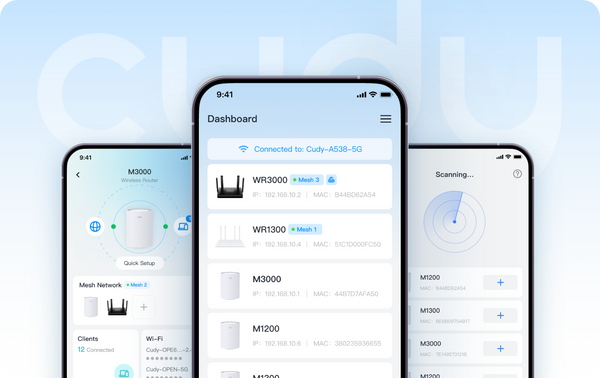
Po kliknięciu listy modeli możesz filtrować warianty „Cudy App” i „Cudy App Local” w opcji filtrowania „Zaawansowane”. Modele z „Cudy App” oferują zarówno lokalne, jak i zdalne metody zarządzania. Modele z „Cudy App Local” obsługują lokalne metody zarządzania, co oznacza, że użytkownik może sterować urządzeniem, gdy jest z nim połączone.
Już wkrótce w czerwcu:
- Wzmacniacze zasięgu: RE1200 Outdoor*
- 4G/5G: LT15V, LT700V
Przed skorzystaniem z funkcji sterowania aplikacją upewnij się, że oprogramowanie układowe urządzenia jest aktualne. Poniżej znajdziesz często zadawane pytania dotyczące aktualizacji oprogramowania układowego.
Zachęcamy do dzielenia się swoimi przemyśleniami i poradami poprzez komentarze pod tym artykułem.
Dowiedz się więcej o aplikacji Cudy
O Cudy
Założona w 2018 roku i z siedzibą główną w Shenzhen, Cudy to wysoce konkurencyjna firma technologiczna, zajmująca się badaniami i rozwojem oraz produkcją produktów bezprzewodowych i sieciowych. Portfolio produktów obejmuje routery Wi-Fi Mesh, routery OpenWRT, repeatery, routery CPE 4/5G, PoE, przełączniki oraz inteligentne urządzenia IoT.Kontakt PR: pr@cudy.com
Cudy@LinkedIn
Cudy@Facebook
633 komentarze(-y)
@Dear Md roni islam,
The password is the administrator password for login to the web management page of the router. If you forget it, you can try to reset the router to factory default by long pressing the reset button for about 3 seconds. You can release the reset button when the LED flashes. You must create a new password when first login to the web page of the router.
Note: All the configuration will be cleared. You must reconfigure the router after resetting your router.
“I forgot my login password how to forget it”
I forgot my login password how to forget it
@Dear Raygen Saleh,
I need some more information to fix this issue.
1. What is the model and firmware version of your router? You can check the model and firmware version on the web management page of the router. The firmware must be 2.X.X to support Cudy APP management. If the firmware is 1.X.X, please update the firmware first.
2. Can you login to the web page of your router on the same phone? You can try to change a phone and try again.
3. How do you connect your router to the previous device (such as Modem or ONT)? Via WAN or LAN port? If LAN, please change to WAN port and try again.
4. In addition, you can try to change a phone and try again.
“My cudy application is not working”
My cudy application is not working
@প্রিয় এইচ.এম. হাম্মাদুর রহমান,
আপনি রাউটার ইনস্টল করার সময় একটি অ্যাডমিনিস্ট্রেটর পাসওয়ার্ড সেট করতে পারেন। তারপর পাসওয়ার্ডটি গোপন রাখুন।
“আমি আমার এই Wifi এর এডমিন কি ভাবে হবো আর পাসওয়ার্ড কি ভাবে দিবো”