
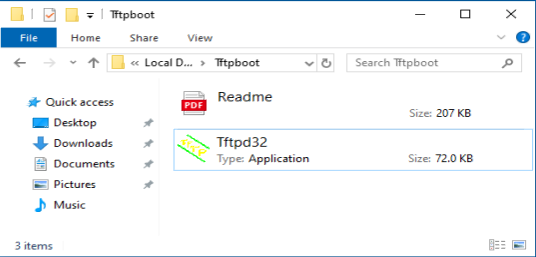
1. Pobierz i rozpakuj plik stąd .
2. Pobierz najnowsze oprogramowanie sprzętowe z oficjalnej strony internetowej i zmień jego nazwę na „recovery.bin”.
3. Wyłącz router. Odłącz zasilacz lub naciśnij przycisk ZASILANIE.
4. Podłącz komputer do portu LAN routera za pomocą kabla Ethernet.
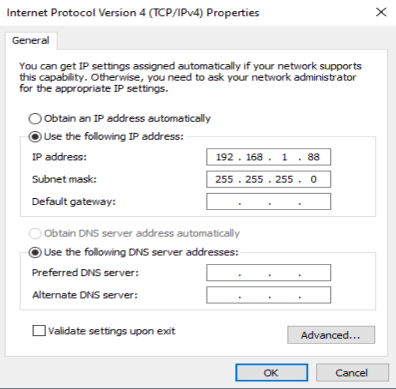
5. Skonfiguruj ręcznie adres IP swojego komputera na „192.168.1.88”.
6. Uruchom „ tftp32.exe ”.
7. Uruchom w wierszu poleceń polecenie netsh advfirewall set allprofiles state off , aby wyłączyć zaporę systemu Windows. W przeciwnym razie tftp zostanie zablokowany.
8. Naciśnij przycisk/otwór „ Reset ” i przytrzymaj go. Przed włączeniem routera i rozpoczęciem pobierania oprogramowania sprzętowego przez tftp nie zwalniaj przycisku/otwóru „ Reset ”.
9. Włącz router.
10. Kiedy wszystkie kontrolki migają szybko lub gdy tftp rozpocznie pobieranie oprogramowania sprzętowego, możesz zwolnić przycisk/otwór „ Reset ”.

11. Gdy lampka miga powoli, aktualizacja została zakończona.
12. Przywróć adres IP swojego komputera do dynamicznego IP.
13. Gotowe.
162 komentarze(-y)
Hello, I have a problem with the WR1500. It updated to the latest firmware from 2.3.3 to 2.3.10 and now the router is no longer responding. The LED stays red and the router restarts. I tried tftp recovery on the WAN and LAN ports, but nothing happened.
I hope you can help me. Thank you very much.
@Dear m00se,
Sorry, I think the router is faulty. We don’t have the solution to such a problem.
“Is there any solution for “Invalid board info!” on M1800 ?”
Is there any solution for “Invalid board info!” on M1800 ?
@Dear Miquel,
Yes, support.
“Good morning,
I would like to know whether the AP3000 Wall model supports TFTP recovery in the same way as the WR3000 model.
Kind regards.”
Good morning,
I would like to know whether the AP3000 Wall model supports TFTP recovery in the same way as the WR3000 model.
Kind regards.