
Routery Cudy posiadają wbudowany interfejs webowy, a ta wewnętrzna strona internetowa nie wymaga dostępu do internetu. Możesz połączyć urządzenie z routerem Cudy przez Wi-Fi lub Ethernet, aby zalogować się do strony zarządzania.
Krok 1:Podłącz komputer do routera Cudy za pomocąBezprzewodowyLubPrzewodowy.
JeśliBezprzewodowy:Domyślna nazwa i hasło sieci Wi-Fi są wydrukowane na etykiecie dolnej routera.
JeśliPrzewodowy: Podłącz komputer do jednego zPorty LANz tyłu routera za pomocą kabla Ethernet.
Krok 2: Otwórz przeglądarkę internetową (Google, Firefox, Edge itp.) i wprowadźhttp://cudy.netLubhttp://192.168.10.1w pasku adresu.
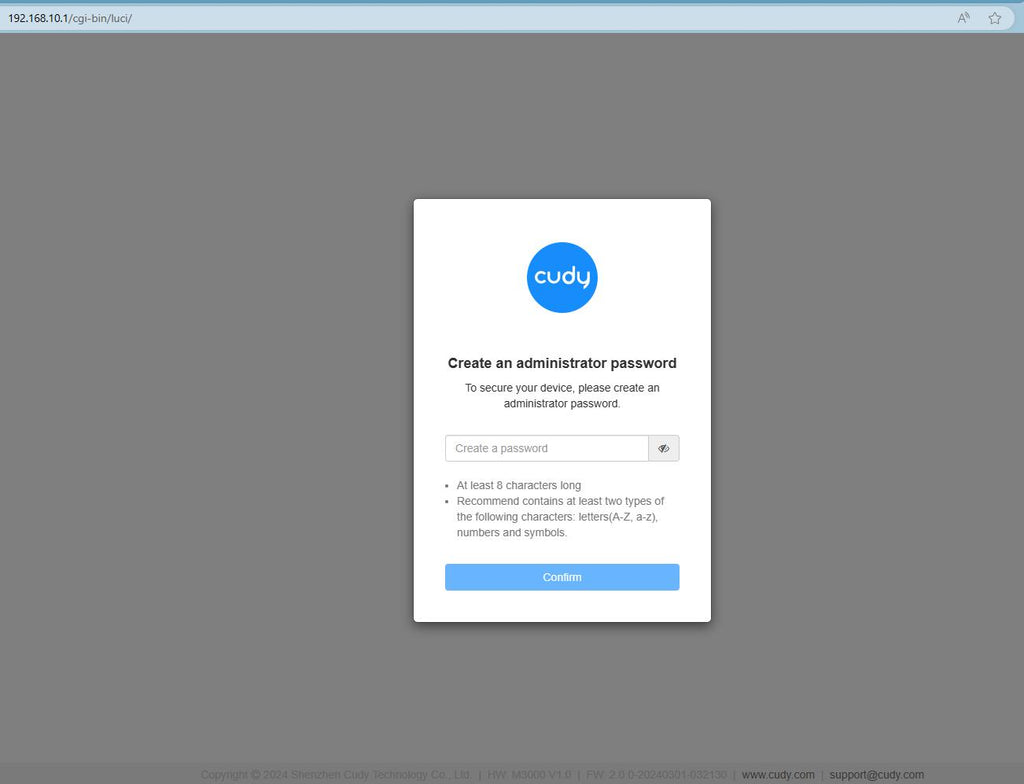
Krok 3:Poniżej pojawi się strona logowania. Wybierz język wyświetlania strony zarządzania witryną i wymagane hasło:administratorlub trzeba utworzyć jedno hasło.

Rozwiązywanie problemów:
Jeśli strona logowania się nie wyświetla, wypróbuj poniższe kroki rozwiązywania problemów na stronie internetowej:
Co mam zrobić, jeśli nie mogę uzyskać dostępu do interfejsu internetowego mojego routera Cudy?
346 komentarze(-y)
I want password of router
@Dear Jabulani,
1. What is the model of your Cudy product? You can check the model on the label at the bottom of the device.
2. How do you connect the deivce? If it is a router. Do you connect the WAN port of the Cudy router to the previous device( such as the ONT or modem)?
3. What is the problem like? Can you login to the web page of the router and check the SYSTEM Status page?
“My wifi is not working right now”
My wifi is not working right now
@Dear Dumisani,
I don’t understand you well. If you want to change the password and name of your starlink router. Why do you contact Cudy support?
“I want to change my password and name of the sarlink but it’s refusing to get out it still appears in my phone settings”
I want to change my password and name of the sarlink but it’s refusing to get out it still appears in my phone settings