
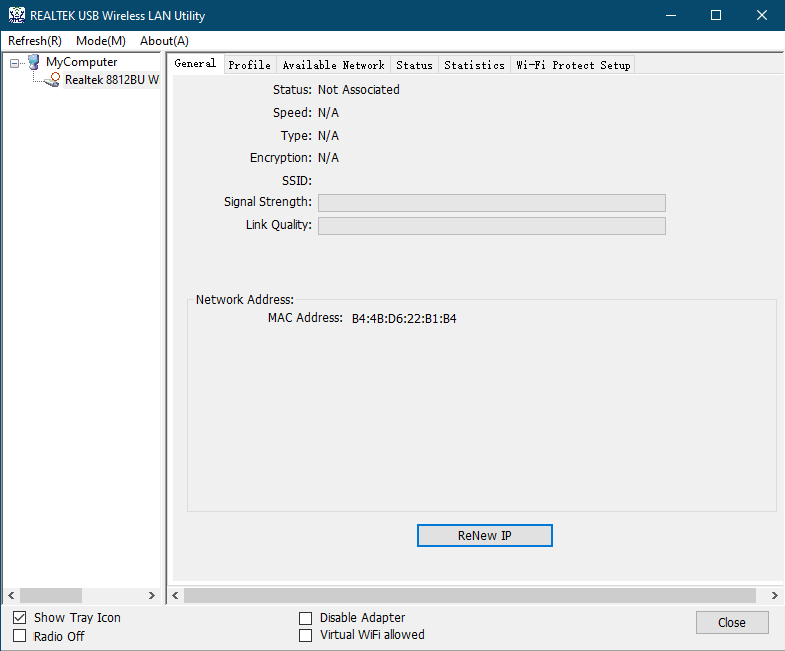
ผู้ใช้บางรายเพียงต้องการติดตั้งไดรเวอร์เท่านั้น และไม่ต้องการติดตั้งยูทิลิตี้ 'REALTEK USB Wireless LAN Utility' จากนั้นผู้ใช้จะจัดการการเชื่อมต่อ Wi-Fi ด้วยยูทิลิตี้ Windows เริ่มต้นแทน 'ยูทิลิตี้ LAN ไร้สาย USB REALTEK'
<ตาราง cellspacing="0" cellpadding="0" border="0" align="center">
(ไม่แนะนำ)
(แนะนำ)

1)ถอดอะแดปเตอร์ USB Wi-Fi ออกจากพีซีของคุณ
2)ถอดอุปกรณ์ USB อื่นๆ ทั้งหมดออกจากพีซีของคุณ ยกเว้นแป้นพิมพ์และเมาส์
3)ถอนการติดตั้งไดรเวอร์และยูทิลิตี้ที่คุณได้ติดตั้งสำหรับ USB Wi-Fi Adapter
4)รีสตาร์ทคอมพิวเตอร์ของคุณ
5)ลบไฟล์และไดเร็กทอรีต่อไปนี้ในคอมพิวเตอร์ของคุณ หากมี (หรือคุณสามารถเปลี่ยนชื่อเก็บไว้ก็ได้)
C:\Windows\System32\drivers\rtwlanu.sys
C:\Program Files\Realtek
C:\Program Files (x86)\Realtek\USB Wireless LAN Driver
C:\Program Files (x86)\Realtek\USB Wireless LAN Utility
6)ปิดยูทิลิตี้ที่ไม่จำเป็นทั้งหมด
7)ปิดการใช้งานไฟร์วอลล์รวมถึง Windows Defender
8)ดาวน์โหลดไดรเวอร์ล่าสุดจาก URL ต่อไปนี้และเรียกใช้ setup.exe
2 ความคิดเห็น
@
Dear Duane,
You can download the driver of your adapter on the website below.
https://www.cudy.com/pages/download-center/search
In addition, you can also use some software that can help the computer to install driver of the hardware. like Driver Booster, etc.
http://www.iobit.com/en/driver-booster.php
“This website is a piece of shit. Nothing works and I will be returning your shit wifi card, too. How should I install something without drivers you morons.”
This website is a piece of shit. Nothing works and I will be returning your shit wifi card, too. How should I install something without drivers you morons.