
WR3000
2.0
- บี21000 10G
- BE11000 4×2.5G
- บีอี6500 2.5G
- BE6500 สีดำ
- บี5000 2.5G
- BE3600 2.5G
- BE3600 Black
- BE3600 สีขาว
- BE3600 Mini
- AX3000 2.5G โพอี
- AX3000 2.5G
- AX3000 5-GbE
- AX3000 4-GbE
- AX3000 มินิ
- AX1500
- AC1200 5-GbE ยูเอสบี
- AC1200 5-GbE
- AC1200 3-GbE
- AC1200 มินิ
- AC1200 5-FE
- AC1200 4-FE
- N300 กำลังสูง
- N300
- AX3000 5-GbE
เฟสเอาท์
Amazon A+ Content


Wi-Fi 6 ที่เร็วขึ้นช่วยลดการควบคุมปริมาณ
Wi-Fi 6 ที่เร็วขึ้นช่วยลดการควบคุมปริมาณ
ความครอบคลุมที่เพิ่มขึ้น ความหน่วงที่ลดลง

ตรวจพบทิศทาง สัญญาณเพิ่มขึ้น

คอมโบที่ง่ายกว่าในเกม

เชื่อมต่อได้มากขึ้น รวดเร็วทันใจ
เชื่อมต่อได้มากขึ้น รวดเร็วทันใจ

ฟังก์ชั่นอเนกประสงค์
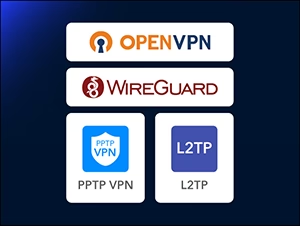
เซิร์ฟเวอร์ VPN และไคลเอนต์

การเข้ารหัส DNS
Cudy Mesh พร้อมแล้ว
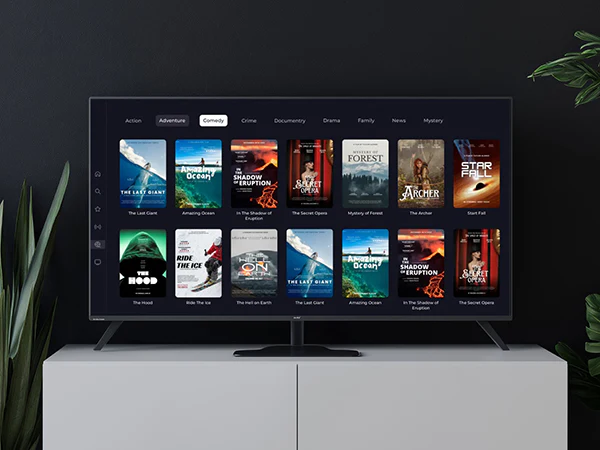
ไอพีทีวี

แอพคิวดี้
แอพคิวดี้


| รุ่นรุ่น | ||
|---|---|---|
| รุ่นรุ่น | WR3000 2.0 | |
| CPU | ||
| CPU | CPU Details | 1.2 GHz Dual-Core |
| Memory/Storage | ||
| Memory/Storage | Flash/ROM | 128 MB (1 Gbit) NAND |
| DDR/RAM | 128 MB (1 Gbit) DDR3 | |
| Wireless | ||
| Wireless | 5 GHz Wi-Fi Speed | 2402Mbps |
| 2.4 GHz Wi-Fi Speed | 574 Mbps | |
| 5 GHz Wi-Fi Streams | 2 Spatial Streams | |
| 2.4 GHz Wi-Fi Streams | 2 Spatial Streams | |
| Wi-Fi Antennas | 4× Fixed | |
| FEM or PA/LNA | 5 GHz: 2× Internal, 2.4 GHz: 2× Internal | |
| Beamforming | ||
| Range Performance |
Max: 200 m (656 ft) Tested in open-space environments with minimal interference. Actual WiFi range may vary depending on layout and wall materials. Refer to the Wall Performance specifications for placement suggestions. |
|
| Wall Performance |
Two wooden walls with thickness < 10 cm (4'') One concrete wall with thickness < 20 cm (7'') or two concrete walls with thickness < 10 cm (4'') |
|
| Interfaces | ||
| Interfaces | Gigabit RJ45 Ports | 4 |
| Ethernet Notes | 1× WAN port, the rest are LAN ports | |
| LED | System, Internet, WAN, LAN, 2.4 GHz Wi-Fi, 5 GHz Wi-Fi | |
| Physical Buttons | WPS Button, Reset Button | |
| Power | ||
| Power | Power Input Type | DC Jack |
| Power Methods | DC | |
| Power Input | 12V⎓1A | |
| Max Power Consumption (W) | 8.8w | |
| Idle Power Consumption (W) | 2.5w | |
| Power Adapter In the Box |
Input: 100-240V~, 50/60Hz Output: 12V⎓1A |
|
| Reliability | ||
| Reliability | Environment |
|
| Certifications | ||
| Certifications | FCC, CE | |
| Mechanical | ||
| Mechanical | Installation |
|
| Dimension |
Main Part: 183.3×109×35 mm 7.22×4.29×1.38 inches |
|
| Product Weight | 252.5 g (8.91 oz.) | |
| Package Content | ||
| Package Content |
|
|
| Ordering Information | ||
| Ordering Information | Retail Package Weight | EU: 579.0 g (20.42 oz.) |
| Retail Package Dimension |
240×230×60 mm 9.45×9.06×2.36 inches |
|
| Units per Carton | 20 | |
| Carton Dimension |
49.5×32.5×48 cm 19.49×12.8×18.9 inches |
|
| Carton Gross Weight | EU: 12.5 kg (27.56 lbs) | |
| Carton Net Weight | EU: 11.6 kg (25.57 lbs) | |
| รุ่นรุ่น | ||
|---|---|---|
| รุ่นรุ่น | WR3000 2.0 | |
| Wireless | ||
| Wireless | Wi-Fi Standards | Wi-Fi 6 |
| Separate Client | ||
| Max Wi-Fi Modulation | 1024-QAM | |
| Wi-Fi Efficiency |
|
|
| Max Capacity | 128 | |
| Recommended Client Upper Limit | 70 | |
| Wi-Fi Channel Width | Auto/20/40/80/160 MHz | |
| Wi-Fi Security | WPA/WPA2/WPA3 | |
| Guest Network | 2.4 GHz, 5 GHz | |
| WPS | ||
| General | ||
| General | Operation Modes |
|
| Mesh | Cudy Mesh | |
| Mesh Backhaul |
|
|
| Multi-Band Backhaul | ||
| WAN Mode |
|
|
| Network | ||
| Network | QoS |
|
| DHCP |
|
|
| IP Versions | IPv4/IPv6 | |
| IPv6 Protocols |
|
|
| Multicast | ||
| IPTV/VLAN |
|
|
| TTL Customization |
|
|
| IGMP |
|
|
| Forwarding |
|
|
| Firewall |
|
|
| Application Layer Gateway |
|
|
| Utilities | ||
| Utilities | VPN Server |
|
| VPN Client |
|
|
| DNS Options |
|
|
| DNS over TLS Providers |
|
|
| Captive Portal | ||
| Wake on LAN | ||
| Online Detection | ||
| Management | ||
| Management | Parental Controls |
|
| All Devices Management |
|
|
| Per-Devices Management |
|
|
| Content Management |
|
|
| System | ||
| System | Local Control Method |
|
| Remote Control Method |
|
|
| Firmware Upgrade |
|
|
| Reliability |
|
|
| Diagnostic Tools |
|
|
| Languages |
|
|
| Dashboard | ||
| Dashboard | Panel |
|
| Charts |
|
|
- ปริมาณการรับส่งข้อมูลไร้สายที่แท้จริงจะแตกต่างกันไปขึ้นอยู่กับสภาพเครือข่าย ข้อจำกัดของไคลเอ็นต์ และปัจจัยด้านสิ่งแวดล้อม รวมถึงแผนผังอาคาร สิ่งกีดขวาง และตำแหน่งของไคลเอ็นต์
- การเรียกร้องความคุ้มครองระบบไร้สายใช้เป็นเพียงข้อมูลอ้างอิงเท่านั้น ประสิทธิภาพการครอบคลุมจะแตกต่างกันไปขึ้นอยู่กับปัจจัยด้านสิ่งแวดล้อม รวมถึงแผนผังอาคาร สิ่งกีดขวาง ปริมาณการจราจรและความหนาแน่น และตำแหน่งของอุปกรณ์ เพื่อการครอบคลุมที่เหมาะสมที่สุด โปรดวางอุปกรณ์ในตำแหน่งศูนย์กลางภายในพื้นที่ที่ต้องใช้ Wi-Fi