
WR3600E
2.0
- BE21000 10G
- BE11000 4× 2,5G
- BE6500 2,5G
- BE6500 Preto
- BE5000 2,5G
- BE3600 2.5G
- BE3600 Black
- BE3600 Branco
- BE3600 Mini
- AX3000 2.5G PoE
- AX3000 2,5G
- AX3000 5-GbE
- AX3000 4-GbE
- AX3000 Mini
- AX1500
- AC1200 5-GbE USB
- AC1200 5-GbE
- AC1200 3-GbE
- AC1200 Mini
- AC1200 5-FE
- AC1200 4-FE
- N300 Alta Potência
- N300
- AX3000 5-GbE
Em breve
Amazon A+ Content


Boosted Coverage
Boosted Coverage


Cudy Mesh
Seamless Whole-Home Wi-Fi
Cudy Mesh
Seamless Whole-Home Wi-Fi

VPN Support
One Setup, Secure Every Device
VPN Support
One Setup, Secure Every Device

Protect Your Loved Ones
Parental Controls
Protect Your Loved Ones
Parental Controls
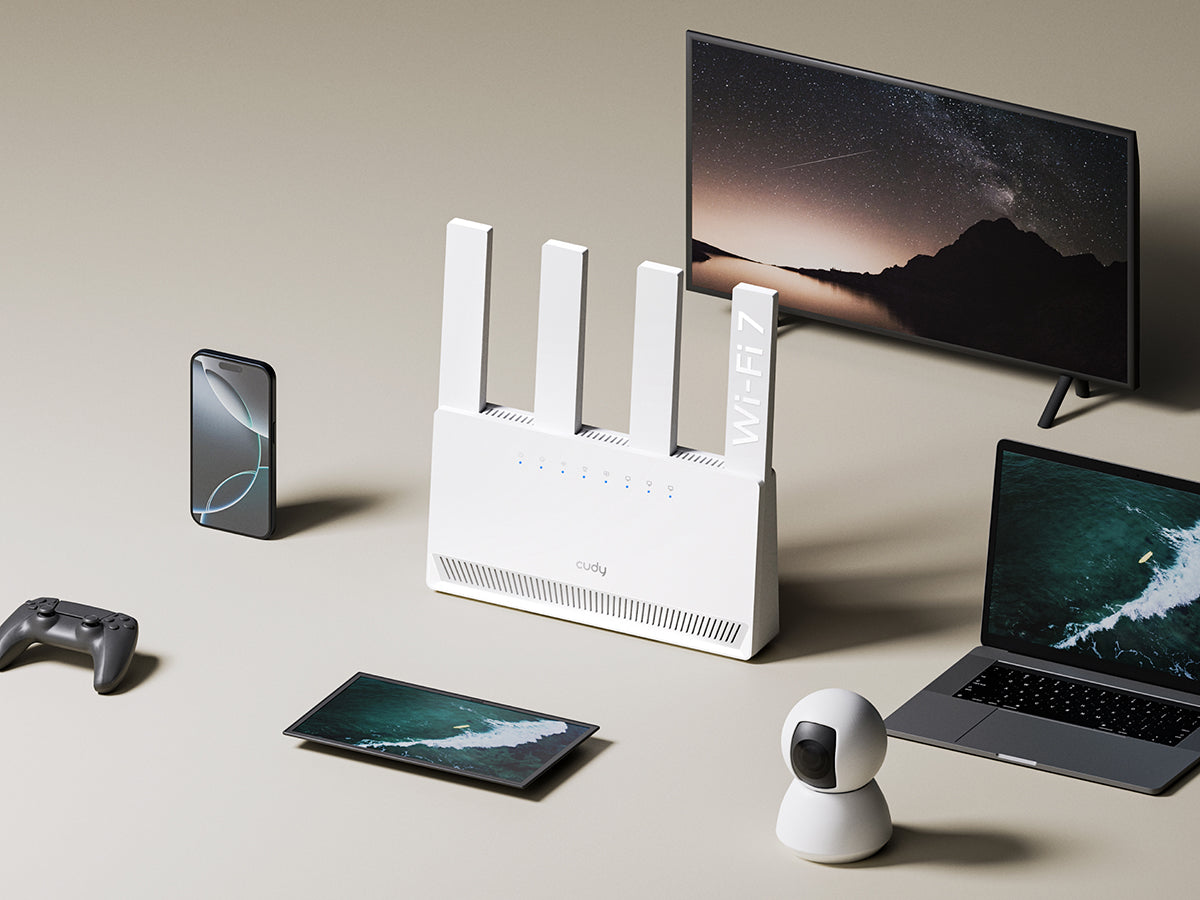
Connect 70+ Devices and Stay Fast
Connect 70+ Devices and Stay Fast

Cudy App
Cudy App


| Versão do modelo | ||
|---|---|---|
| Versão do modelo | WR3600E 2.0 | |
| CPU | ||
| CPU | CPU Details | 1.2 GHz Dual-Core |
| Memory/Storage | ||
| Memory/Storage | Flash/ROM | 128 MB (1 Gbit) NAND |
| DDR/RAM | 256 MB (2 Gbit) DDR3 | |
| Wireless | ||
| Wireless | MLO Speeds | 3570 Mbps |
| 5 GHz Wi-Fi Speed | 2882 Mbps | |
| 2.4 GHz Wi-Fi Speed | 688 Mbps | |
| 5 GHz Wi-Fi Streams | 2 Spatial Streams | |
| 2.4 GHz Wi-Fi Streams | 2 Spatial Streams | |
| Wi-Fi Antennas | 4× Fixed | |
| FEM or PA/LNA | 5 GHz: 2× External, 2.4 GHz: 2× Internal | |
| Beamforming | True | |
| Range Performance |
Max: 220 m (722 ft) Tested in open-space environments with minimal interference. Actual WiFi range may vary depending on layout and wall materials. Refer to the Wall Performance specifications for placement suggestions. |
|
| Wall Performance |
Two wooden walls with thickness < 10 cm (4'') One concrete wall with thickness < 20 cm (7'') or two concrete walls with thickness < 10 cm (4'') |
|
| Interfaces | ||
| Interfaces | Gigabit RJ45 Ports | 4 |
| Ethernet Notes | 1× WAN port, the rest are LAN ports | |
| Buttons and LEDs | ||
| Buttons and LEDs | LED | System, Internet, 2.4 GHz Wi-Fi, 5 GHz Wi-Fi, WAN, LAN |
| Physical Buttons | WPS Button, Reset Button | |
| Power | ||
| Power | Power Input Type | DC Jack |
| Power Methods | DC | |
| Power Input | 12V⎓1A | |
| Power Adapter In the Box |
Input: 100-240V~, 50/60Hz Output: 12V⎓1A |
|
| Reliability | ||
| Reliability | Environment |
|
| Certifications | ||
| Certifications | FCC, CE | |
| Mechanical | ||
| Mechanical | Installation | Desktop |
| Dimension |
Main Part: 209×48×220.4 mm 8.23×1.89×8.68 inches |
|
| Product Weight | 328.0 g (11.57 oz.) | |
| Package Content | ||
| Package Content |
|
|
| Ordering Information | ||
| Ordering Information | Retail Package Weight | EU: 748.8 g (26.41 oz.) |
| Retail Package Dimension |
221×231.5×73 mm 8.7×9.11×2.87 inches |
|
| Units per Carton | 20 | |
| Carton Dimension |
47.7×39.1×47 cm 18.78×15.39×18.5 inches |
|
| Carton Gross Weight | EU: 8.3 kg (18.3 lbs) | |
| Carton Net Weight | EU: 7.5 kg (16.53 lbs) | |
| Versão do modelo | ||
|---|---|---|
| Versão do modelo | WR3600E 2.0 | |
| Wireless | ||
| Wireless | Wi-Fi Standards | Wi-Fi 7 |
| Max Wi-Fi Modulation | 4K-QAM | |
| Wi-Fi Efficiency |
|
|
| Max Capacity | 128 | |
| Recommended Client Upper Limit | 70 | |
| Wi-Fi Channel Width | Auto/20/40/80/160 MHz | |
| Wi-Fi Security | WPA/WPA2/WPA3 | |
| Guest Network | 2.4 GHz, 5 GHz | |
| Separate Client | True | |
| WPS | True | |
| General | ||
| General | Operation Modes |
|
| Mesh | Cudy Mesh | |
| Mesh Backhaul |
|
|
| Multi-Band Backhaul | True | |
| WAN Mode |
|
|
| Network | ||
| Network | QoS |
|
| DHCP |
|
|
| IP Versions | IPv4/IPv6 | |
| IPv6 Protocols |
|
|
| Multicast | True | |
| IPTV/VLAN |
|
|
| TTL Customization |
|
|
| IGMP |
|
|
| Forwarding |
|
|
| Firewall |
|
|
| Application Layer Gateway |
|
|
| Utilities | ||
| Utilities | VPN Server |
|
| VPN Client |
|
|
| VPN Performance |
|
|
| DNS Options |
|
|
| DNS over TLS Providers |
|
|
| Wake on LAN | True | |
| Online Detection | True | |
| Management | ||
| Management | Parental Controls |
|
| All Devices Management |
|
|
| Per-Devices Management |
|
|
| Content Management |
|
|
| System | ||
| System | LED Control | True |
| Local Control Method |
|
|
| Remote Control Method |
|
|
| Firmware Upgrade |
|
|
| Reliability |
|
|
| Diagnostic Tools |
|
|
| Languages |
|
|
| Dashboard | ||
| Dashboard | Panel |
|
| Charts |
|
|
- A taxa de transferência real de dados sem fio pode variar em função das condições da rede, limitações do cliente e fatores ambientais, incluindo layout do edifício, obstáculos e localização do cliente.
- A declaração de cobertura sem fio serve apenas como referência. O desempenho da cobertura pode variar devido a fatores ambientais, como a disposição do edifício, obstáculos, volume e densidade do tráfego e localização do dispositivo. Para uma cobertura ideal, coloque o dispositivo em um local central dentro da área que requer Wi-Fi.