
1. Baixe o firmware mais recente deCentro de downloads.
2. Descompacte o arquivo que você baixou
3. Ligue o dispositivo Cudy e aguarde até que o LED fique sólido.
4. Conecte-se à rede da Cudy via WiFi ou Ethernet.
5. Abra um navegador da web e vá parahttp://cudy.netouhttp://192.168.10.1.
Para mais detalhes, consulteComo fazer login na interface web do Cudy Router?
6. Atualize o firmware.
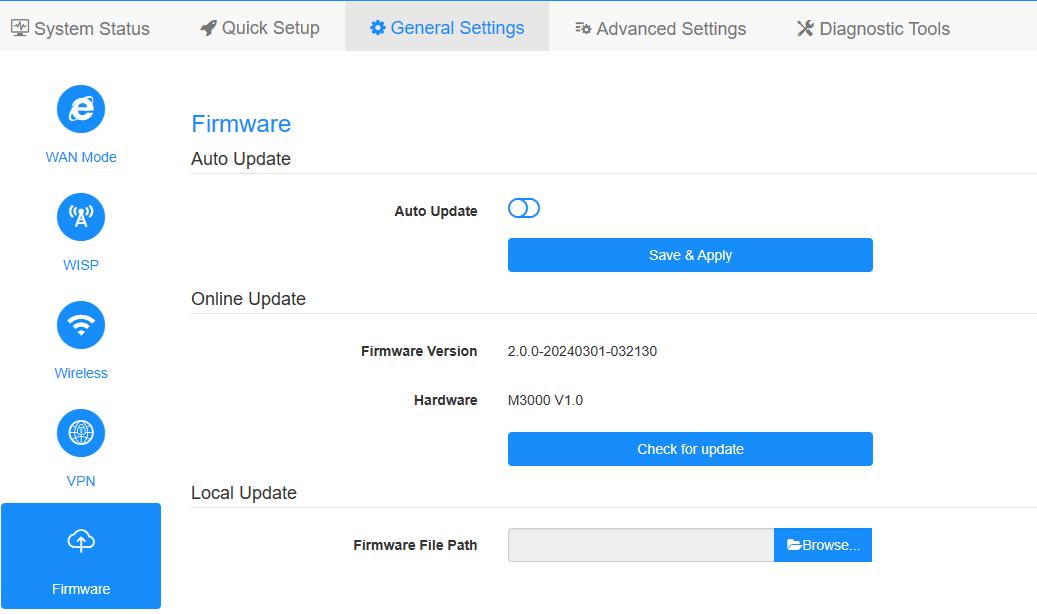
um.Configurações avançadas -> Firmware, Escolha o firmware que você descompactou para fazer upload.
b.Configurações gerais->Firmwarea página pode fazer atualização on-line e atualização local.
Observação: Somente suporte ao Firmware 2.x.x ou superior.
7. Aguarde 5 minutos para o roteador reiniciar.
189 comentários
After updating the Cudy P5 router to Firmware Version 2.4.23 US, the device restarts every day.
@Dear Luis,
Yes, we have plan to update the firmware for WR3000S in the near future. Please wait patiently.
“Is the wr3000s still being supported?
There are no updates since May.
I could bet there are some security issues that could be patched.”
Is the wr3000s still being supported?
There are no updates since May.
I could bet there are some security issues that could be patched.
@Dear Lenard,
Please tell us the current firmware version and hardware version. Then tell me the name of the file you plan to update.
“Have cudy wr1200, when I select firmware it say file is invalid. I cannot change sssid and password, what might be the fix?”
Have cudy wr1200, when I select firmware it say file is invalid. I cannot change sssid and password, what might be the fix?