
Os roteadores Cudy possuem uma interface web integrada e esta página web interna não requer acesso à internet. Você pode conectar seu dispositivo ao Roteador Cudy via Wi-Fi ou Ethernet para acessar a página de gerenciamento web.
Passo 1:Conecte seu computador ao seu roteador Cudy viaSem fioouCom fio.
SeSem fio: O nome e a senha padrão do Wi-Fi estão impressos na etiqueta inferior do seu roteador.
SeCom fio: Conecte seu computador a um dosPortas LANna parte traseira do roteador por meio de um cabo Ethernet.
Passo 2: Abra um navegador da web (Google, Firefox, Edge, etc.) e digitehttp://cudy.netouhttp://192.168.10.1na barra de endereço.
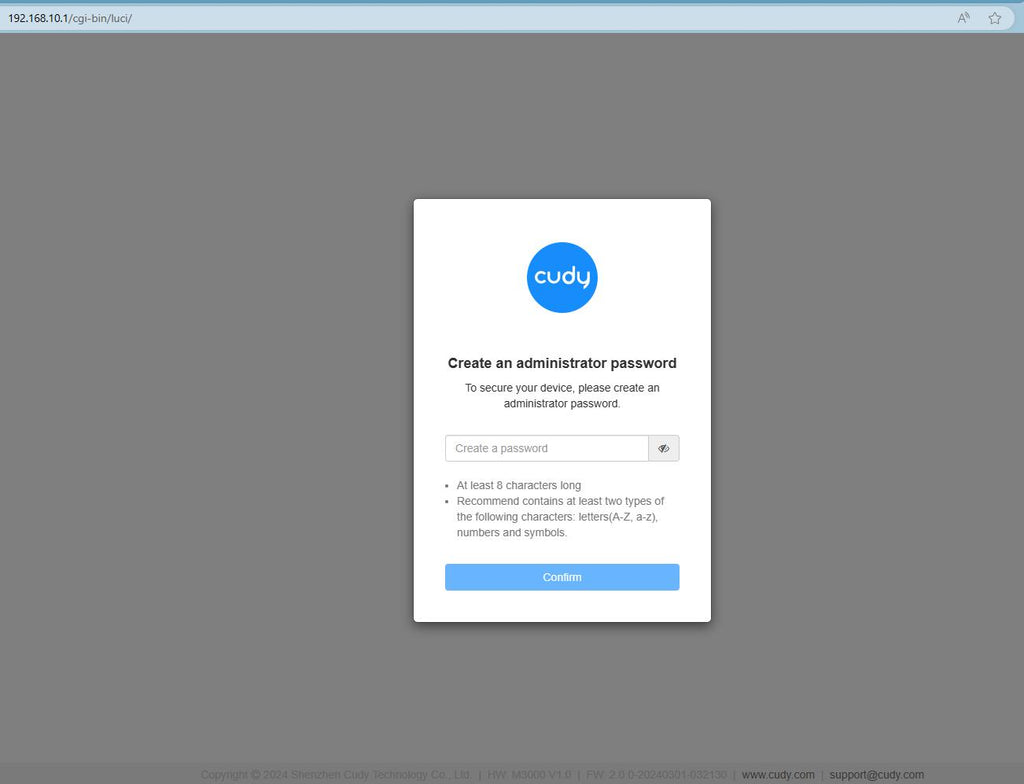
Etapa 3: A página de login abaixo será exibida. Escolha o idioma de exibição da página de gerenciamento web e a senha solicitada é 'administrador' ou precisa criar uma senha.

Solução de problemas:
Se a página de login não aparecer, tente as seguintes etapas de solução de problemas no site:
O que devo fazer se não conseguir acessar a interface web do meu roteador Cudy?
343 comentários
WR3600H version 1.0 — blocked after flashing the intermediate firmware
Hello, Cudy support service,
I have a Cudy WR3600H version 1.0
Serial number: WR3600H244300255
What happened:
I updated the router to the official firmware 2.5.30 via tftpd64
Please help me restore the router.
Thank you.
Quiero cambiar de contraseña a mi internet
@Dear Lerato shoko,
I need some more information.
1. What is the model of your Cudy product? You can check the model on the label.
2. What is the password for that you want to change? Wi-Fi password? or othe administrator password for login to the web management page of the router.
3. If you want to change the WiFi password, please login to the WEB management page of the router. Go to “General Settings”—-“Wireless” page to change the Wi-Fi password. You can also do it via Cudy APP. It will be easier to do it on your phone.
4. If you want to change the admin password. Please login to the WEB management page of the router. Please go to “Advanced Settings” -“System”—-“Admin Account” to change the admin password of the router.
“Struggling to change my password”
Struggling to change my password
عزيزي Mog90 Mogalbahar396،
يرجى الانتقال إلى الصفحة التي تتضمن المسار التالي: “System Status” (حالة النظام) > “Devices” (الأجهزة) > “More Details” (مزيد من التفاصيل). ومن هناك، يمكنك الاطلاع على جميع الأجهزة المتصلة بالموجه (الراوتر) وحظر جهاز معين. أقترح عليك تثبيت تطبيق Cudy على هاتفك، ثم توصيل هاتفك بالتطبيق وتسجيل الدخول إلى موجه Cudy من خلاله؛ فهذا سيسهل عليك عملية التحقق من الأجهزة وحظر الجهاز المحدد.
“حظر الاشخاص من النت”