

רשימה זו עודכנה ב-19 ביוני 2024
דגמים שיצאו: ראה כאן
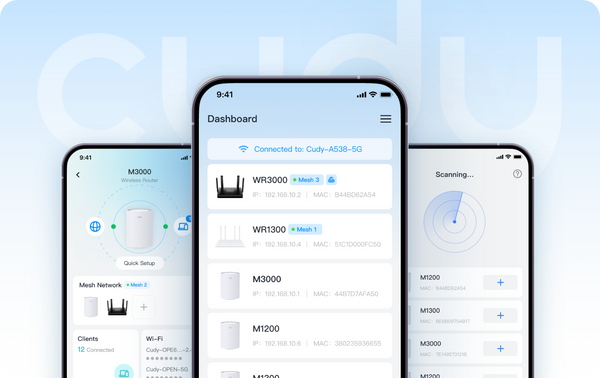
לאחר לחיצה על רשימת הדגמים, ניתן לסנן את הגרסאות של "Cudy App" ו-"Cudy App Local" באפשרות הסינון "Advanced". דגמים עם "Cudy App" מציעים שיטות ניהול מקומיות ומרחוק. דגמים עם "Cudy App Local" תומכים בשיטת ניהול מקומית, מה שאומר שהמשתמש יכול לשלוט במכשיר בזמן שהוא מחובר אליו.
בקרוב ביוני:
- מאריכי טווח: RE1200 Outdoor*
- 4G/5G: LT15V, LT700V
אנא ודא שהקושחה של המכשיר שלך מעודכנת לפני השימוש בתכונת בקרת האפליקציה. הנה שאלות נפוצות כיצד לשדרג את הקושחה שלך.
נשמח שתשתפו את מחשבותיכם ועצותיכם על ידי הוספת תגובה מתחת למאמר זה.
אודות קודי
קאדי, שנוסדה בשנת 2018 ובסיסה בשנג'ן, היא חברה טכנולוגית תחרותית ביותר במחקר ופיתוח ובייצור של מוצרי אלחוטית ורשת. תיק המוצרים שלה כולל נתבי Wi-Fi Mesh, נתבי OpenWRT, משחזרים, נתבי CPE 4/5G, PoE, מתגים ומכשירי IoT לבית חכם.איש קשר ליחסי ציבור: pr@cudy.com
קודי@לינקדאין
קודי@פייסבוק
674 תגובות
لا استطيع العثور على جهاز واي فاي من برنامج كودي لان لا اذكر كلمة السر
@عزيزتي فاطمة،
يمكنكِ تسجيل الدخول إلى جهاز التوجيه عبر تطبيق Cudy أو صفحة الويب. ثم تحققي من الأجهزة الموجودة في صفحة «الأجهزة».
“ما جاي يطلعلي الاجهزه المتصله ب الراوتر”
@Dear Vuyelwa Penisi,
What is the problem like? Please describe it to us.
What is the model of your Cudy product?
“I’m not sure exactly what’s happening with my device”
@Dear Mh alamin,
Thanks for contacting the Cudy support team. The password is the administrator password for login to the web management page of the router. If you forget it, you can try to reset the router to factory default by long pressing the reset button for about 3 seconds. You can release the reset button when the LED flashes. You must create a new password when first login to the web page of the router.
Note: All the configuration will be cleared. You must reconfigure the router after resetting your router.
“Device password??”
ما جاي يطلعلي الاجهزه المتصله ب الراوتر