
1. הורד את הקושחה העדכנית ביותר מ-מרכז ההורדות.
2. פתחו את הקובץ שהורדתם
3. הפעל את מכשיר ה-Cudy, המתן עד שנורת ה-LED תידלק באופן קבוע.
4. התחברו לרשת של Cudy באמצעות WiFi או Ethernet.
5. פתח דפדפן אינטרנט ועבור אלhttp://cudy.netאוֹhttp://192.168.10.1.
לפרטים, אנא עיינו באיך להתחבר לממשק האינטרנט של הנתב Cudy?
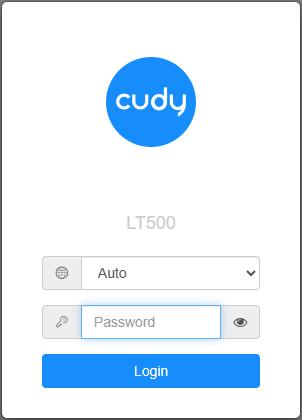
6. שדרג את הקושחה.
א.הגדרות מתקדמות -> קושחה, בחר את הקושחה שפרצת כדי להעלות.
ב.הגדרות כלליות->קושחההדף יכול לבצע שדרוג מקוון ועדכון מקומי.
פֶּתֶקתמיכה רק ב-Firmware 2.x.x ומעלה.
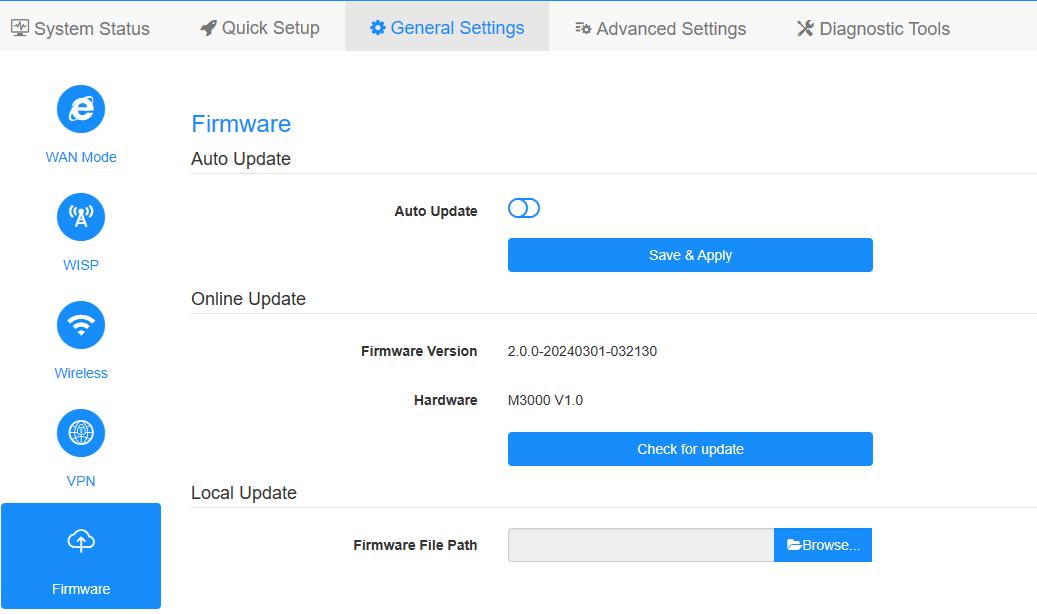
7. המתנה של 5 דקות להפעלה מחדש של הנתב.
189 תגובות
@Luka,
Dear Luka,
1. Please wait for a while after you start the firmware update process. Do not flash the page. Wait about 3 minutes.
2. If the problem remains, please try to change a computer or a web browser, then try to update it again.
“I’m unable to update my AX1500 to the 2.×.x firmware versions. I get a popup stating “firmware update failed”, although the intermediate firmware worked fine. What can I do?”
I’m unable to update my AX1500 to the 2.×.x firmware versions. I get a popup stating “firmware update failed”, although the intermediate firmware worked fine. What can I do?
@Gentile Barbieri Fabio,
Sì, puoi farlo.
“Buongiorno,
vorrei aggiornare il firmware del mio P5 V1.1, ma sul sito trovo solo file per V1.0, posso procedere ugualmente?
Grazie in anticipo.”
Buongiorno,
vorrei aggiornare il firmware del mio P5 V1.1, ma sul sito trovo solo file per V1.0, posso procedere ugualmente?
Grazie in anticipo.
@Hi Max,
Thank you for contacting Cudy support team. Please try to change a computer and web browser to update the firmware again. If the problem remains, I suggest you contact the seller to change one.
“it is not possible to install any firmware at all. When loading the intermediate firmware, just nothing happens. at all. The router works, but it seems to be unsafe to use the old firmware. I want to know why your routers are not being updated. And I still want to update to the current version”
“Device model: WR1500 EU1.0, Firmware version: 1.0.4-20241205-747393 it does not accept an intermediate firmware file for current firmware. I bought the router yesterday. When you try to update, nothing happens at all in the device’s firmware window, the router continues to work at the same time, and the diode lights up blue. Please help me update, I did everything according to the pdf instructions and tried to see what people write on the site. I’m use a cable for update. I really want to update, thank you!”