
1. הורד את הקושחה העדכנית ביותר מ-מרכז ההורדות.
2. פתחו את הקובץ שהורדתם
3. הפעל את מכשיר ה-Cudy, המתן עד שנורת ה-LED תידלק באופן קבוע.
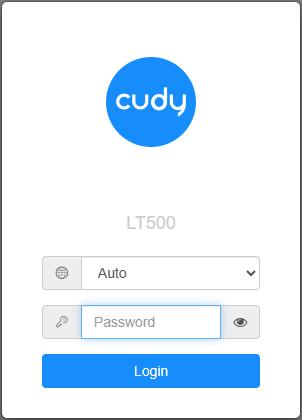
4. התחברו לרשת של Cudy באמצעות WiFi או Ethernet.
5. פתח דפדפן אינטרנט ועבור אלhttp://cudy.netאוֹhttp://192.168.10.1.
לפרטים, אנא עיינו באיך להתחבר לממשק האינטרנט של הנתב Cudy?
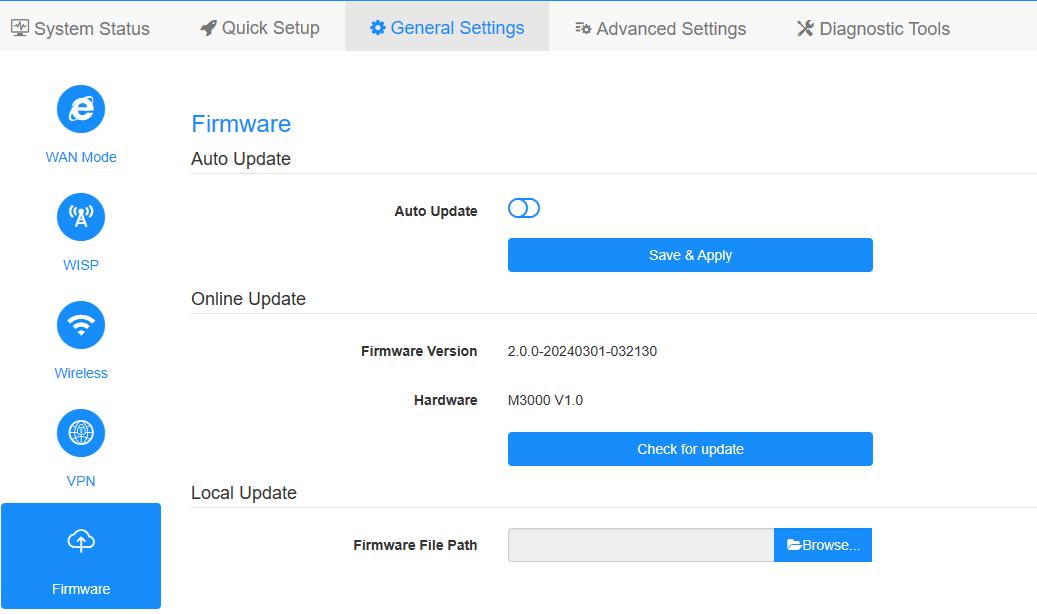
6. שדרג את הקושחה.
א.הגדרות מתקדמות -> קושחה, בחר את הקושחה שפרצת כדי להעלות.
ב.הגדרות כלליות->קושחההדף יכול לבצע שדרוג מקוון ועדכון מקומי.
פֶּתֶקתמיכה רק ב-Firmware 2.x.x ומעלה.
7. המתנה של 5 דקות להפעלה מחדש של הנתב.
189 תגובות
“@Dear Dom,
Please download the firmware version 2.3.0 or 2.3.1, there is an intermediate firmware in the package. You must update the intermediate firmware first. Then update the new 2.3.x firmware.”
I tried this and it doesn’t work, I have already intermediate firmware installed, when I try to update to 2.3.x it always failed, after it failed I have to unplug power cable (because wifi is not working, cable connection is ok) then plug again and router still have intermediate firmware version. Please provide to us proper fix, changing browser/computer does not resolve the problem.
@Dear Dom,
Please download the firmware version 2.3.0 or 2.3.1, there is an intermediate firmware in the package. You must update the intermediate firmware first. Then update the new 2.3.x firmware.
“Same problem as other users there, WR1500 firmware update is impossible, tried on different browsers and computers and it always failed”
Same problem as other users there, WR1500 firmware update is impossible, tried on different browsers and computers and it always failed
@Dear vbence121,
Please try to change a web browser to update. We suggest the chrome. If still fail, please try to change a computer to update.
“I also have issue with the WR1500. I try to flash the intermediate firmware file but after it restarts it never connects back. After 10 minutes I unplug and restart the device but then it’s back to the old firmware”
I also have issue with the WR1500. I try to flash the intermediate firmware file but after it restarts it never connects back. After 10 minutes I unplug and restart the device but then it’s back to the old firmware