
1. הורד את הקושחה העדכנית ביותר מ-מרכז ההורדות.
2. פתחו את הקובץ שהורדתם
3. הפעל את מכשיר ה-Cudy, המתן עד שנורת ה-LED תידלק באופן קבוע.
4. התחברו לרשת של Cudy באמצעות WiFi או Ethernet.
5. פתח דפדפן אינטרנט ועבור אלhttp://cudy.netאוֹhttp://192.168.10.1.
לפרטים, אנא עיינו באיך להתחבר לממשק האינטרנט של הנתב Cudy?
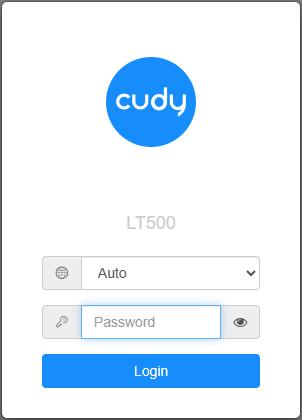
6. שדרג את הקושחה.
א.הגדרות מתקדמות -> קושחה, בחר את הקושחה שפרצת כדי להעלות.
ב.הגדרות כלליות->קושחההדף יכול לבצע שדרוג מקוון ועדכון מקומי.
פֶּתֶקתמיכה רק ב-Firmware 2.x.x ומעלה.
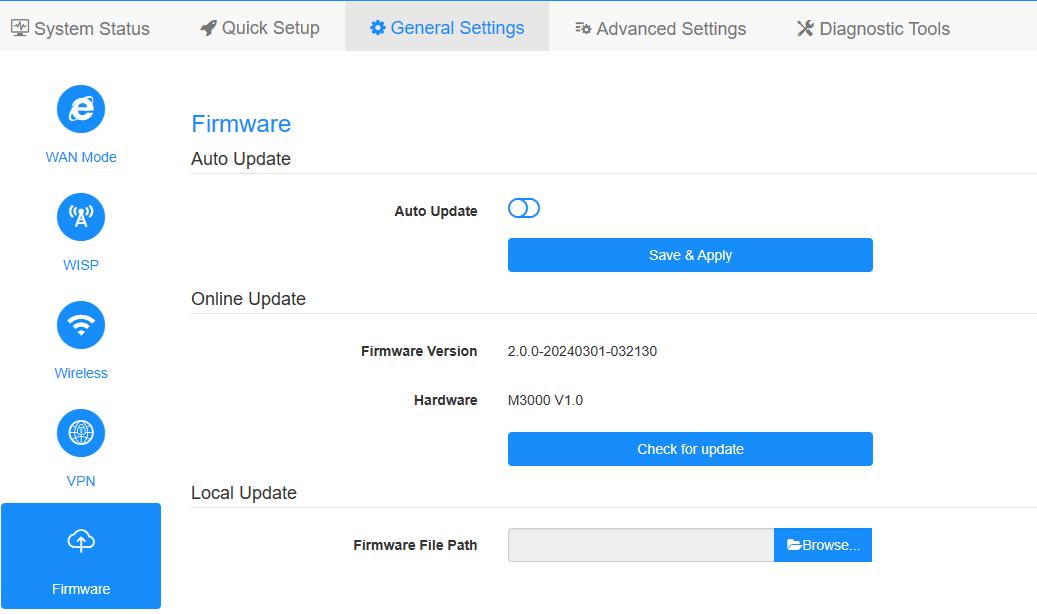
7. המתנה של 5 דקות להפעלה מחדש של הנתב.
189 תגובות
@Dear Raj.
We will follow your email again. And will push the firmware update.
“I am writing to report a critical performance bug in my Cudy WR3000S router that severely impacts the 5GHz Wi-Fi performance when using high-speed modes.
I kindly request that you review this specific RRM error in firmware 2.4.6 and provide a corrected firmware update that properly fixes the stability and performance”
Recently I noticed that a new firmware update has been released for the Cudy WR1200, but there’s still no update for the WR3000S. As a WR3000S user, I’m eagerly waiting for a new update to improve performance and fix existing bugs. Could you please let us know when we can expect a new firmware for the WR3000S?"
Recently I noticed that a new firmware update has been released for the Cudy WR1200, but there’s still no update for the WR3000S. As a WR3000S user, I’m eagerly waiting for a new update to improve performance and fix existing bugs. Could you please let us know when we can expect a new firmware for the WR3000S?"
I am writing to report a critical performance bug in my Cudy WR3000S router that severely impacts the 5GHz Wi-Fi performance when using high-speed modes.
I kindly request that you review this specific RRM error in firmware 2.4.6 and provide a corrected firmware update that properly fixes the stability and performance
@Dear Steve,
1. Please check if you have enabled the Timed Reboot function on “Advanced Settings” page? If yes, please disable it. If no, please try to reset the router to factory default and check if the problem fix?
2. If not, you can try to update back the next latest firmware version and check again.
“After updating the Cudy P5 router to Firmware Version 2.4.23 US, the device restarts every day.”