
לנתבים של Cudy יש ממשק אינטרנט מובנה ודף אינטרנט פנימי זה אינו דורש גישה לאינטרנט. ניתן לחבר את המכשיר שלך לנתב Cudy באמצעות Wi-Fi או Ethernet כדי להתחבר לדף ניהול האינטרנט.
שלב 1:חבר את המחשב שלך לנתב Cudy שלך דרךאַלחוּטאוֹקווי.
אִםאַלחוּטשם וסיסמת ה-Wi-Fi המוגדרים כברירת מחדל מודפסים על התווית התחתונה של הנתב שלך.
אִםקוויחבר את המחשב שלך לאחד מיציאות LANבגב הנתב באמצעות כבל אתרנט.
שלב 2פתח דפדפן אינטרנט (גוגל, פיירפוקס, אדג' וכו') והזןhttp://cudy.netאוֹhttp://192.168.10.1בשורת הכתובת.
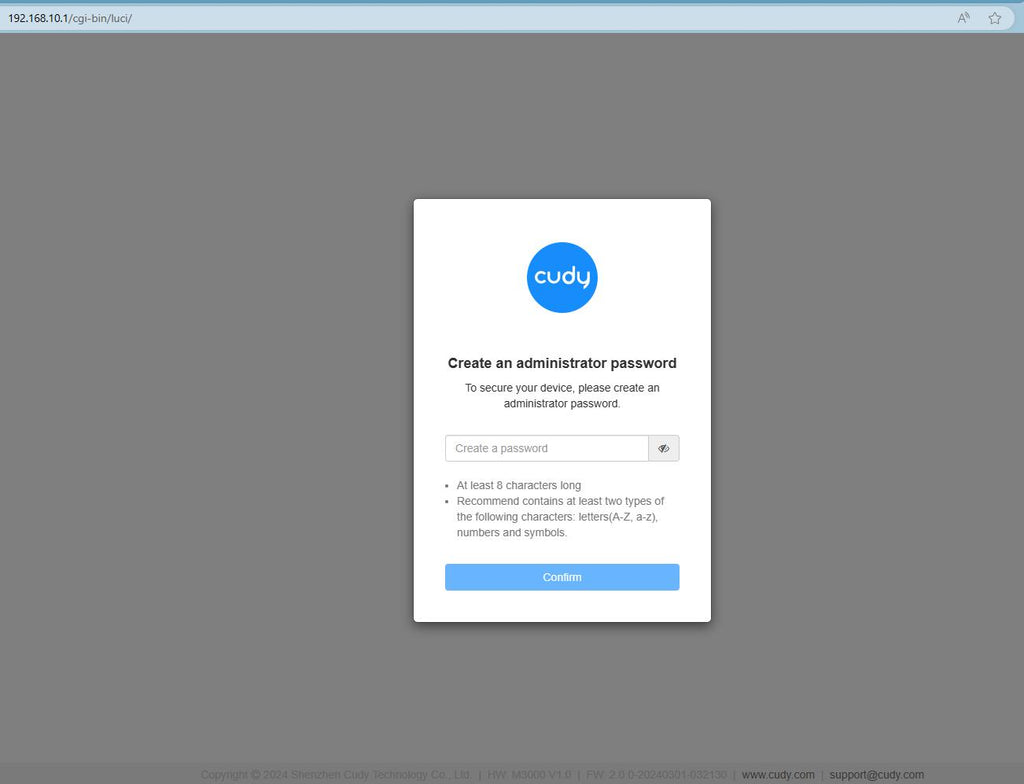
שלב 3דף ההתחברות למטה יופיע. בחר את שפת התצוגה של דף ניהול האינטרנט והסיסמה המבוקשת היא 'מנהלאו שצריך ליצור סיסמה אחת.

פתרון בעיות:
אם דף ההתחברות אינו מופיע, נסה את שלבי פתרון הבעיות הבאים באתר:
מה עליי לעשות אם איני מצליח לגשת לממשק האינטרנט של הנתב Cudy שלי?
368 תגובות
I have a Cudy wireless router however I cannot signin to the Cudy page to setup the network. I have a eero router connected to an 8 port tp link and one port from the tplink connected to the Cudy Router. I cannot sign into the Cudy nextwork page when I specify the correct Ip address. Thank you
@George
Dear George,
Thank you for contacting Cudy support team.
Our technical support has contacted you via email. Please check.
“After upgrading to latest firmware my WR1200 v.2 I can use the webui only from wifi network the password doesnt work anymore from the wan.Can you help me ?”
After upgrading to latest firmware my WR1200 v.2 I can use the webui only from wifi network the password doesnt work anymore from the wan.Can you help me ?
@David
Dear customer,
Thank you for contacting Cudy support team. I need some more information to fix this issue.
1. What is the model of your router? You can check the model on the label at the bottom of the router.
2. What are the passwords for? WiFi password? Administrator password? or other?
Did you try to reset the router to factory default by long pressing the reset button for about 3 seconds? You can release the reset button when the LED flashes. The default password of the WEB panel will recover to default “admin”. If the firmware version is 2.×.x, you need to create a new password when first login to the web page of the router. The WiFi password will recover to factory default which is printed on the label.
“I’m failing to reset my passwords may u please help me with this”
I’m failing to reset my passwords may u please help me with this