
לנתבים של Cudy יש ממשק אינטרנט מובנה ודף אינטרנט פנימי זה אינו דורש גישה לאינטרנט. ניתן לחבר את המכשיר שלך לנתב Cudy באמצעות Wi-Fi או Ethernet כדי להתחבר לדף ניהול האינטרנט.
שלב 1:חבר את המחשב שלך לנתב Cudy שלך דרךאַלחוּטאוֹקווי.
אִםאַלחוּטשם וסיסמת ה-Wi-Fi המוגדרים כברירת מחדל מודפסים על התווית התחתונה של הנתב שלך.
אִםקוויחבר את המחשב שלך לאחד מיציאות LANבגב הנתב באמצעות כבל אתרנט.
שלב 2פתח דפדפן אינטרנט (גוגל, פיירפוקס, אדג' וכו') והזןhttp://cudy.netאוֹhttp://192.168.10.1בשורת הכתובת.
שלב 3דף ההתחברות למטה יופיע. בחר את שפת התצוגה של דף ניהול האינטרנט והסיסמה המבוקשת היא 'מנהלאו שצריך ליצור סיסמה אחת.

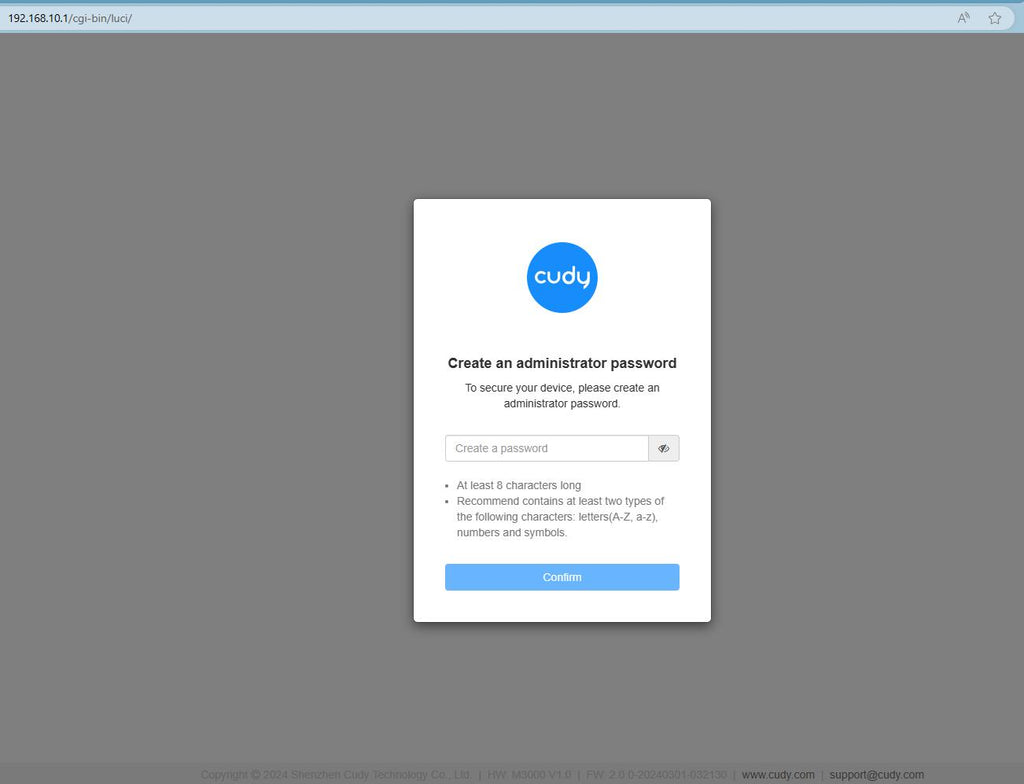
פתרון בעיות:
אם דף ההתחברות אינו מופיע, נסה את שלבי פתרון הבעיות הבאים באתר:
מה עליי לעשות אם איני מצליח לגשת לממשק האינטרנט של הנתב Cudy שלי?
368 תגובות
Cant connect on the cudy app the password admin does not work WR3000 router
Hi there. I want to log in to Cody, but it won’t accept “admin” as a password. Anything else I can try?
@Ivan,
Dear Customer,
Thank you for contacting Cudy support team.
Our technical support has sent you the solutions via email. Please check.
“Good day I suspect someone is using my wifi without my permission how can I block or delete them”
Good day I suspect someone is using my wifi without my permission how can I block or delete them
@Marlon,
Dear Customer,
Thank you for contacting Cudy support team.
Please check if you connect the WAN port of the Cudy router to the LAN port of TP-LINK? If not, please change to WAN port of the Cudy router.
“I have a Cudy wireless router however I cannot signin to the Cudy page to setup the network. I have a eero router connected to an 8 port tp link and one port from the tplink connected to the Cudy Router. I cannot sign into the Cudy nextwork page when I specify the correct Ip address. Thank you”