

此列表于 2024 年 6 月 19 日更新
已发布型号:参见此处
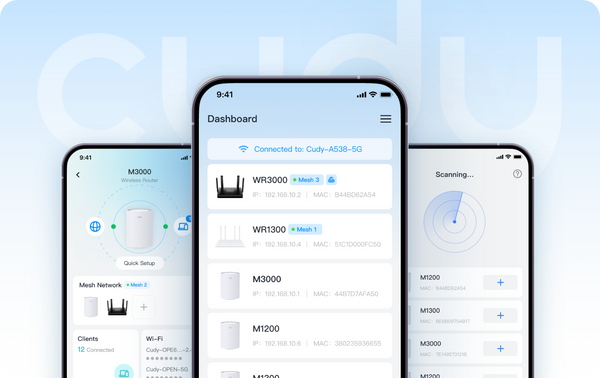
点击进入型号列表后,您可以在“高级”过滤选项中过滤“Cudy App”和“Cudy App Local”的变体。带有“Cudy App”的型号提供本地和远程管理方法。带有“Cudy App Local”的型号支持本地管理方法,这意味着用户可以在连接到设备时控制设备。
六月即将推出:
- 范围扩展器:RE1200 户外*
- 4G/5G:LT15V、LT700V
在使用 App 控制功能之前,请确保您的设备固件是最新的。以下是有关如何升级固件的常见问题解答。
欢迎您通过在本文下方发表评论来分享您的想法和建议。
关于 Cudy
Cudy 成立于 2018 年,总部位于深圳,是一家极具竞争力的科技驱动型公司,专注于无线和网络产品的研发和制造。产品组合涵盖 Wi-Fi 网状路由器、OpenWRT 路由器、中继器、4/5G CPE 路由器、PoE、交换机和智能家居物联网设备。公关联系方式:pr@cudy.com
Cudy@LinkedIn
Cudy@Facebook
637 条评论
Estimados Joe Rodrigo Mosquera Castro y Yosman Yadiel:
1. ¿Cuál es el modelo y la versión de firmware de su router? Pueden consultar esta información en la página de gestión web del dispositivo. Para que el router sea compatible con la gestión a través de la aplicación Cudy, el firmware debe ser de la versión 2.X.X. Si el firmware es de la versión 1.X.X, por favor, actualícenlo primero.
2. ¿Pueden iniciar sesión en la página de gestión web del router desde el mismo teléfono? Prueben a utilizar otro teléfono e intenten de nuevo.
3. ¿Cómo conectan el router al dispositivo anterior (por ejemplo, un módem o una ONT)? ¿A través del puerto WAN o del puerto LAN? Si está conectado al puerto LAN, cámbienlo al puerto WAN e intenten de nuevo.
4. Además, pueden intentar realizar el proceso utilizando otro teléfono.
“No puedo abrir la aplicación”
No puedo abrir la aplicación
No puedo abrir la aplicación
@Dear Reagan,
The password is the administrator password for login to the web management page of the router. If you forget it, you can try to reset the router to factory default by long pressing the reset button for about 3 seconds. You can release the reset button when the LED flashes. You must create a new password when first login to the web page of the router.
Note: All the configuration will be cleared. You must reconfigure the router after resetting your router.
“Don’t no my password”
Redmi 12 connect kore den