
Os roteadores Cudy possuem uma interface web integrada e esta página web interna não requer acesso à internet. Você pode conectar seu dispositivo ao Roteador Cudy via Wi-Fi ou Ethernet para acessar a página de gerenciamento web.
Passo 1:Conecte seu computador ao seu roteador Cudy viaSem fioouCom fio.
SeSem fio: O nome e a senha padrão do Wi-Fi estão impressos na etiqueta inferior do seu roteador.
SeCom fio: Conecte seu computador a um dosPortas LANna parte traseira do roteador por meio de um cabo Ethernet.
Passo 2: Abra um navegador da web (Google, Firefox, Edge, etc.) e digitehttp://cudy.netouhttp://192.168.10.1na barra de endereço.
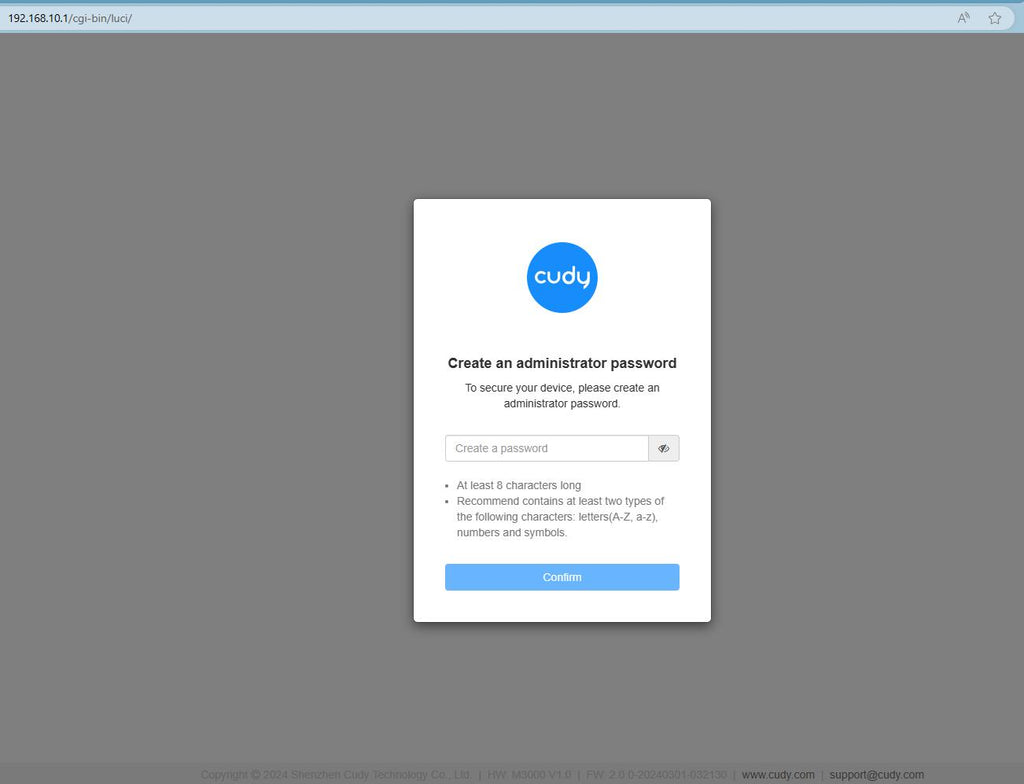
Etapa 3: A página de login abaixo será exibida. Escolha o idioma de exibição da página de gerenciamento web e a senha solicitada é 'administrador' ou precisa criar uma senha.

Solução de problemas:
Se a página de login não aparecer, tente as seguintes etapas de solução de problemas no site:
O que devo fazer se não conseguir acessar a interface web do meu roteador Cudy?
343 comentários
@Dear Dumisani,
I don’t understand you well. If you want to change the password and name of your starlink router. Why do you contact Cudy support?
“I want to change my password and name of the sarlink but it’s refusing to get out it still appears in my phone settings”
I want to change my password and name of the sarlink but it’s refusing to get out it still appears in my phone settings
@Dear Nurmiawifi,
What is the password for? Wi-Fi password? or other.
If the password is the administrator password for login to the web management page of the router. And if you forget it, you can try to reset the router to factory default by long pressing the reset button for about 3 seconds. You can release the reset button when the LED flashes. You must create a new password when first login to the web page of the router.
Note: All the configuration will be cleared. You must reconfigure the router after resetting your router.
“Chang password”
عزيزي حسن سلامة،
ما هو الغرض من كلمة المرور؟ هل تقصد كلمة مرور شبكة “واي فاي” (Wi-Fi) أم شيئاً آخر؟
إذا كانت كلمة المرور هي كلمة مرور المسؤول (Administrator) الخاصة بتسجيل الدخول إلى صفحة إدارة جهاز التوجيه (الراوتر) عبر المتصفح، وكنت قد نسيتها، فيمكنك محاولة إعادة ضبط الجهاز إلى إعدادات المصنع؛ وذلك بالضغط المطول على زر إعادة الضبط (Reset) لمدة 3 ثوانٍ تقريباً. يمكنك ترك الزر عندما يبدأ مؤشر LED في الوميض. سيتعين عليك إنشاء كلمة مرور جديدة عند تسجيل الدخول إلى صفحة إدارة الراوتر لأول مرة بعد ذلك.
ملاحظة: ستؤدي هذه العملية إلى مسح جميع الإعدادات؛ لذا ستحتاج إلى إعادة تهيئة الراوتر وضبط إعداداته من جديد.
“تقيير كلمت المرور”
I have a problem to download video on media