
Sudėtingi maršrutizatoriai turi integruotą žiniatinklio sąsają ir šiam vidiniam tinklalapiui nereikia interneto prieigos. Norėdami prisijungti prie Cudy maršrutizatoriaus per Wi-Fi arba eternetą, galite prijungti savo įrenginį prie žiniatinklio valdymo puslapio.
1 žingsnis: Prijunkite kompiuterį prie Cudy maršrutizatoriaus per belaidį arba laidinį tinklą.
Jei Nepriklausomas: numatytasis Wi-Fi vardas ir slaptažodis yra atspausdinti ant maršrutizatoriaus apatinės etiketės.
Jei Laidinis: Prijunkite kompiuterį prie vieno iš LAN prievadų, esančių maršrutizatoriaus galinėje dalyje, naudodami eterneto kabelį.
2 žingsnis: Atidarykite interneto naršyklę ("Google", "Firefox", "Edge" ir kt.) ir adreso juostoje įveskite http://cudy.net arba http://192.168.10.1.
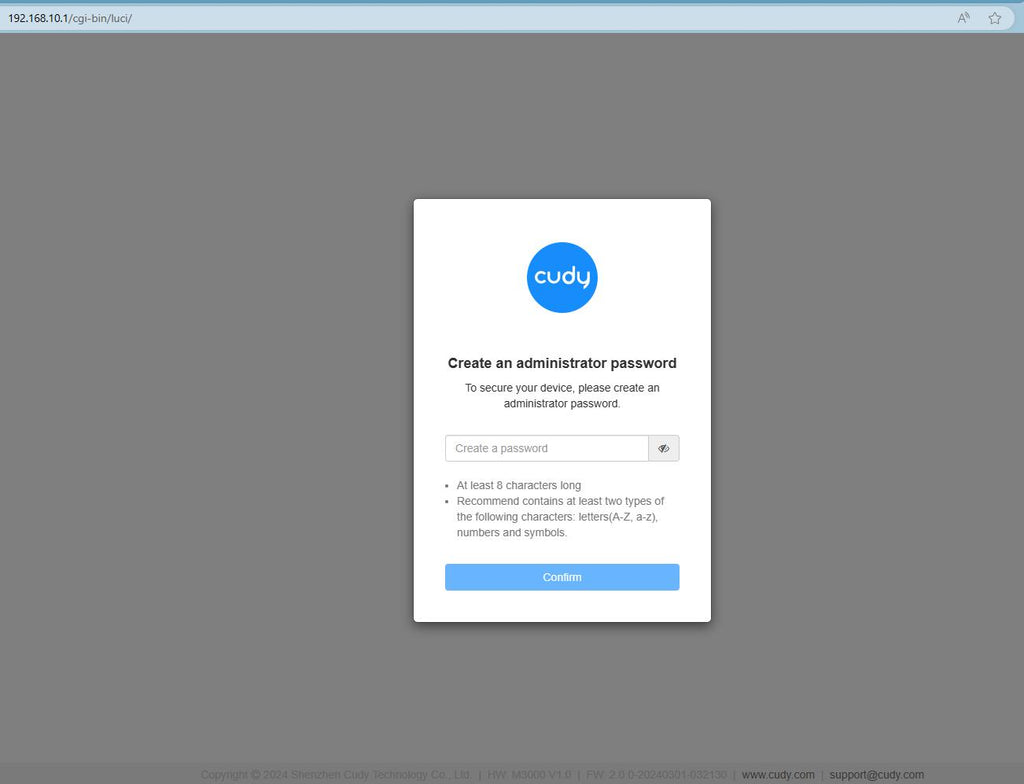
Trečias žingsnis: Atsivers toliau pateiktas prisijungimo puslapis. Pasirinkite žiniatinklio valdymo puslapio rodymo kalbą ir prašomą slaptažodį "admin" arba reikia sukurti vieną slaptažodį.

Gedimų šalinimas:
Jei prisijungimo puslapis nerodomas, pabandykite svetainėje atlikti šiuos trikčių šalinimo veiksmus:
Ką daryti, jei nepavyksta pasiekti Cudy maršrutizatoriaus žiniatinklio sąsajos?
346 komentarai (-ų)
@Dear Jogan Johnson,
1. What is the model of your Cudy product? You can check the model on the label at the bottom of the device.
2. How do you connect the device? If it is a router, do you connect the WAN port of the Cudy router to the previous device( such as the ONT or modem)?
3. What have you set on the device?
4. What is the problem like?
“Me wifi is not working now please can you help me”
Can you help me now please
Me wifi is not working now please can you help me
@Dear MS LC NAUDE,
You can try to reset the router to factory default by long pressing the reset button for about 3 seconds. You can release the reset button when the LED flashes.
The default password of the WEB panel will recover to default “admin”. If the firmware version is 2.×.x, you need to create a new password when first login to the web page of the router.
“Im trying to login but when I put password Admin in it’s doesn’t work”
Im trying to login but when I put password Admin in it’s doesn’t work