

רשימה זו עודכנה ב-19 ביוני 2024
דגמים שיצאו: ראה כאן
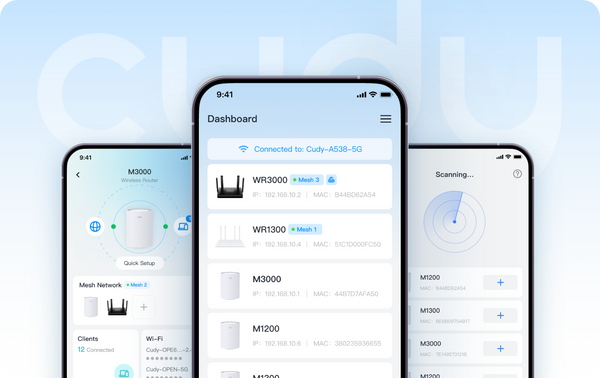
לאחר לחיצה על רשימת הדגמים, ניתן לסנן את הגרסאות של "Cudy App" ו-"Cudy App Local" באפשרות הסינון "Advanced". דגמים עם "Cudy App" מציעים שיטות ניהול מקומיות ומרחוק. דגמים עם "Cudy App Local" תומכים בשיטת ניהול מקומית, מה שאומר שהמשתמש יכול לשלוט במכשיר בזמן שהוא מחובר אליו.
בקרוב ביוני:
- מאריכי טווח: RE1200 Outdoor*
- 4G/5G: LT15V, LT700V
אנא ודא שהקושחה של המכשיר שלך מעודכנת לפני השימוש בתכונת בקרת האפליקציה. הנה שאלות נפוצות כיצד לשדרג את הקושחה שלך.
נשמח שתשתפו את מחשבותיכם ועצותיכם על ידי הוספת תגובה מתחת למאמר זה.
אודות קודי
קאדי, שנוסדה בשנת 2018 ובסיסה בשנג'ן, היא חברה טכנולוגית תחרותית ביותר במחקר ופיתוח ובייצור של מוצרי אלחוטית ורשת. תיק המוצרים שלה כולל נתבי Wi-Fi Mesh, נתבי OpenWRT, משחזרים, נתבי CPE 4/5G, PoE, מתגים ומכשירי IoT לבית חכם.איש קשר ליחסי ציבור: pr@cudy.com
קודי@לינקדאין
קודי@פייסבוק
674 תגובות
@Dear Pankoj
I need some more information to fix this issue.
1. What is the model and firmware version of your router? You can check the model and firmware version on the web management page of the router. The firmware must be 2.X.X to support Cudy APP management. If the firmware is 1.X.X, please update the firmware first.
2. Can you login to the web page of your router on the same phone? You can try to change a phone and try again.
3. How do you connect your router to the previous device (such as Modem or ONT)? Via WAN or LAN port? If LAN, please change to WAN port and try again.
4. In addition, you can try to change a phone and try again.
“Here is no device found”
@Dear Pankoj,
I need some more information to fix this issue.
1. What is the model and firmware version of your router? You can check the model and firmware version on the web management page of the router. The firmware must be 2.X.X to support Cudy APP management. If the firmware is 1.X.X, please update the firmware first.
2. Can you login to the web page of your router on the same phone? You can try to change a phone and try again.
3. How do you connect your router to the previous device (such as Modem or ONT)? Via WAN or LAN port? If LAN, please change to WAN port and try again.
4. In addition, you can try to change a phone and try again.
“Here is no device found”
@Уважаемая Малика,
Мне нужна дополнительная информация, чтобы устранить эту проблему.
1. Какая модель и версия прошивки у вашего роутера? Вы можете проверить модель и версию прошивки на веб-странице управления роутером. Для поддержки управления через приложение Cudy версия прошивки должна быть 2.X.X. Если версия прошивки 1.X.X, пожалуйста, сначала обновите прошивку.
2. Можете ли вы войти на веб-страницу роутера с того же телефона? Попробуйте использовать другой телефон и повторите попытку.
3. Как вы подключаете роутер к предыдущему устройству (например, модему или ONT)? Через порт WAN или LAN? Если через LAN, переключитесь на порт WAN и попробуйте ещё раз.
4. Кроме того, попробуйте использовать другой телефон и повторите попытку.
“Не находит ролтер , все сделала но не работает”
I can’t open my cudy ID, now how do I manage my Lt400 WiFi?
Please your help me