
Cudy ruuteritel on sisseehitatud veebiliides ja see sisemine veebileht ei nõua internetiühendust. Veebihalduslehele sisselogimiseks saate ühendada oma seadme Cudy ruuteriga Wi-Fi või Etherneti kaudu.
Samm 1: Ühendage oma arvuti Cudy ruuteriga Vahejuhtmeta või kaabli kaudu.
Kui juhtmeta: Wi-Fi vaikimisi nimi ja parool on trükitud ruuteri alumisele sildile.
Kui juhtmeta: Wi-Fi vaikimisi nimi ja parool on trükitud ruuteri alumisele sildile.Kui kaabel: Ühendage arvuti ühe ruuteri tagaküljel asuva LAN-pordi külge Ethernet-kaabli abil.
Samm 2: Avage veebilehitseja (Google, Firefox, Edge jne.) ja sisestage aadressiribale http://cudy.net või http://192.168.10.1.
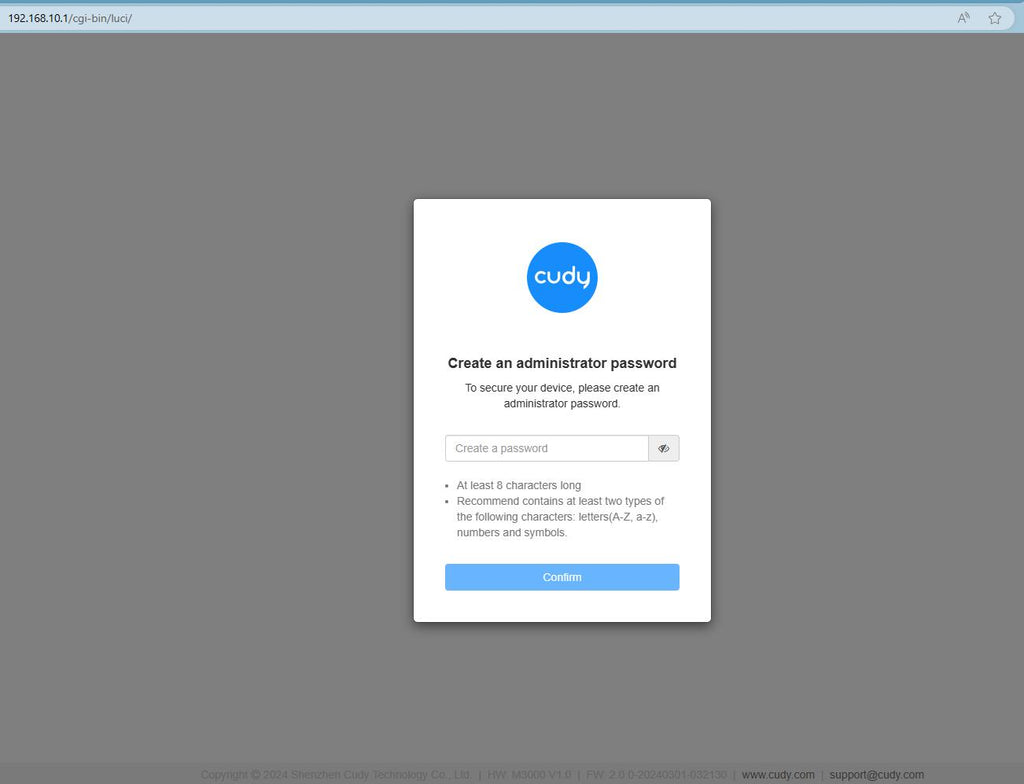
Samm 3: Avaneb alltoodud sisselogimisleht. Valige veebihalduslehe kuvamiskeel ja nõutav parool on "admin" või peate looma ühe parooli.

Veaotsing:
Kui sisselogimisleht ei ilmu, proovige veebilehel järgmisi tõrkeotsingu samme:
Mida teha, kui ma ei pääse oma Cudy ruuteri veebiliidesele ligi?
349 kommentaari
I’m connected to the internet with my WM6500H router, everything is working, but the fourth blue light is not lit. Is than normal and what is it for?
Hello, I’m entering the admin password, but it’s incorrect. What could be the password?
@Dear thomas,
How do you connect your router to the previous device (such as Modem or ONT)? Via WAN or LAN port? If LAN, please change to WAN port and try again.
“Am able to access the Cudy TR3000 main page only with the Android phone app. Trying the cudy.net and 192.168.10.1 on pc/phone webpage doesn’t work, although it definitely did work the first time around. Am I missing something?”
Am able to access the Cudy TR3000 main page only with the Android phone app. Trying the cudy.net and 192.168.10.1 on pc/phone webpage doesn’t work, although it definitely did work the first time around. Am I missing something?
@Dear Bianca,
You can try to reset the router to factory default by long pressing the reset button for about 3 seconds. You can release the reset button when the LED flashes.
The default password of the WEB panel will recover to default “admin”. If the firmware version is 2.×.x, you need to create a new password when first login to the web page of the router.
“I cant access my router to change my passwoord and manage devices. It requiers a passwoord and I dont have one nor have I set one up.”