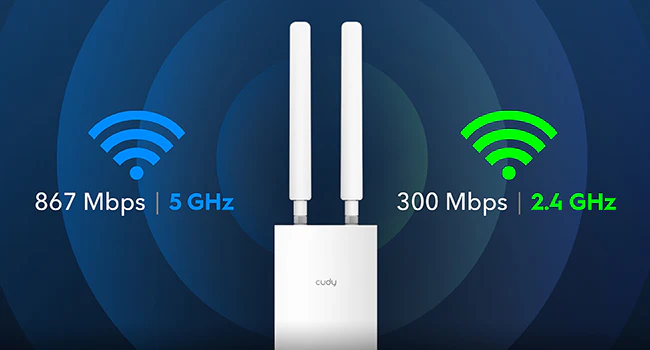
With MU-MIMO and dual-band features, the AC1200 Wi-Fi RE/AP can connect to over 30 devices while minimizing latency. The maximum number of simultaneous connections per AP/RE is 128 devices. No Standalone mode and requires a gateway in front of it.
Uzlabots Wi-Fi pārklājums ar staru kūļa formēšanu
Tested Wi-Fi coverage performance in four scenarios, achieved by Beamforming technology and two external antennas. If your space is too large for one access point to cover, you can expand your Wi-Fi coverage into a Mesh network by adding another Cudy RE/AP.
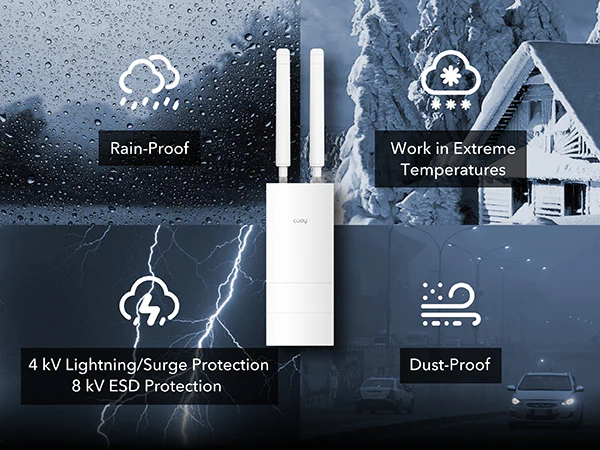
Works in Rain, Thunder, Dust, Heat, Cold
The RE/AP is protected by an IP65 standard case, shielding it from rain and dust when installed vertically. It also features 4 kV Lightning/Surge and 8 kV ESD protection for higher reliability in thunderstorms. Its working temperatures span from -40 °F to 149 °F (-40 ℃ to 65 ℃).
Works in Rain, Thunder, Dust, Heat, Cold
The RE/AP is protected by an IP65 standard case, shielding it from rain and dust when installed vertically. It also features 4 kV Lightning/Surge and 8 kV ESD protection for higher reliability in thunderstorms. Its working temperatures span from -40 °F to 149 °F (-40 ℃ to 65 ℃).
Cudy Mesh Satellite
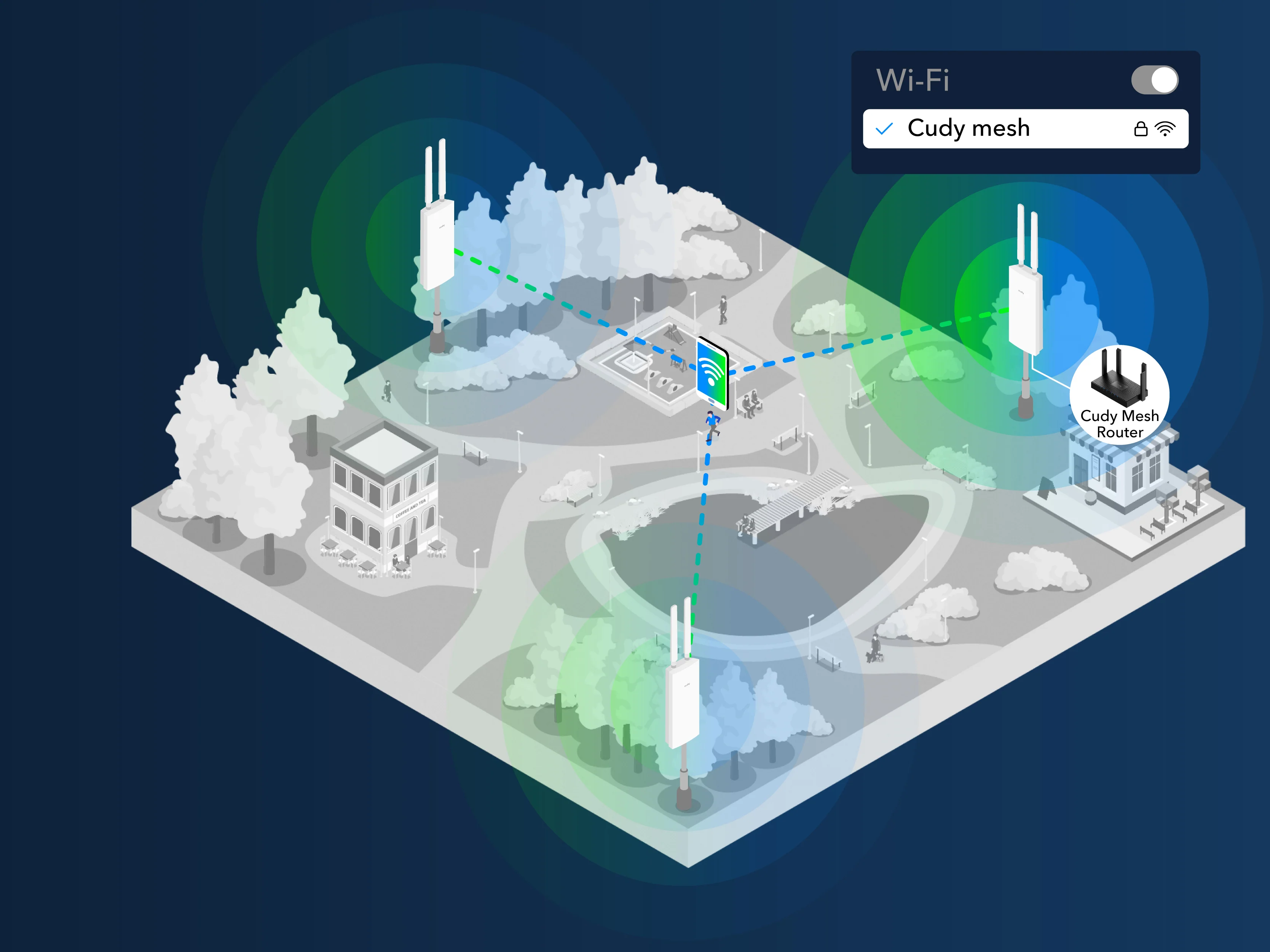
Seamless Roaming for Smooth Wi-Fi Experience
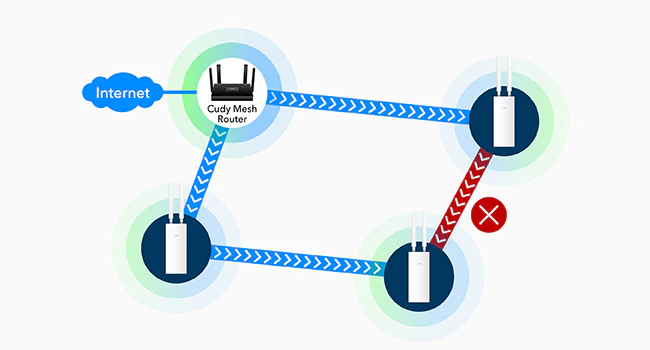
Enhance the Wi-Fi experience for your visitors by implementing a unified Wi-Fi name across your entire premises. Add this AP/RE behind a mesh router/AC, enjoy uninterrupted roaming as clients seamlessly connect to the strongest available Wi-Fi node without manual switching.
Cudy Mesh Satellite
Seamless Roaming for Smooth Wi-Fi Experience
Enhance the Wi-Fi experience for your visitors by implementing a unified Wi-Fi name across your entire premises. Add this AP/RE behind a mesh router/AC, enjoy uninterrupted roaming as clients seamlessly connect to the strongest available Wi-Fi node without manual switching.
Plug-and-Play Mesh uzstādīšana
Vienkārši pievienojiet un atvienojiet kontakttīklu iestatīšanai
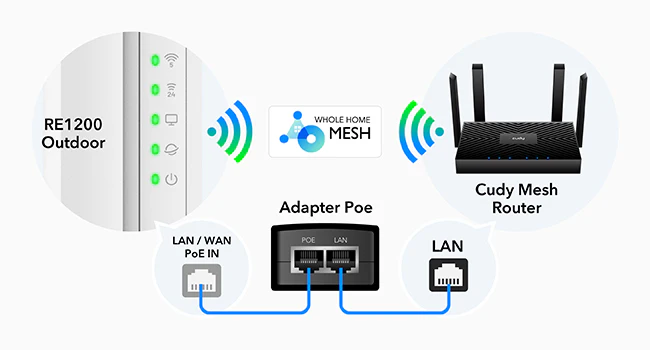
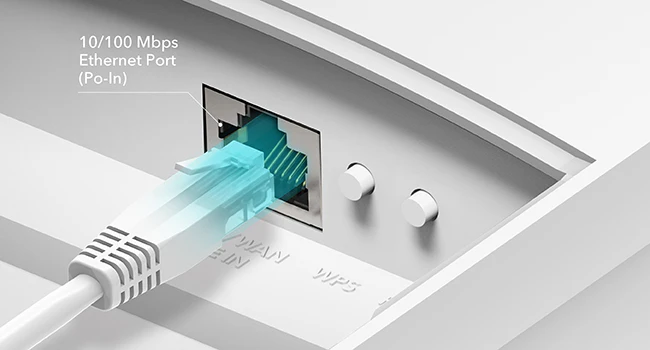
Connect the PoE adapter LAN port to a Cudy Mesh AP/router/AC to add the new RE/AP to the Mesh network. Feel free to unplug it or keep using Ethernet backhaul after pairing.
Pārējo atstājiet adaptīvajai maršrutēšanai
Adaptive Routing improves the system's awareness of the capacity used by each node. Once the backhaul path is jammed by clients or interfered with by environmental factors, it will automatically switch to a better path for improved stability.
Elektroinstalācijas un fiziskās instalācijas rokasgrāmata
Ethernet ports ar PoE
Adapter included for —
24 V Passive PoE (Adapter included, not waterproof)
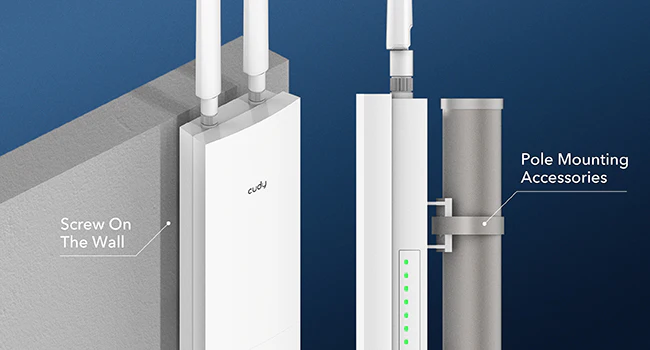
Komplektā iekļauts montāžas komplekts
Montāžas komplekts ir iekļauts kastē, atbalsta-
Wall-Mounting
Pole-Mounting
Cudy lietotne
Manage your network from your phone. This model supports local control via the Cudy App.
Stacionārs/taustāms diapazona pagarinātājs ar IP65 korpusu un PoE, ar piekļuves punkta, RE un Cudy Mesh režīmiem. Lai tas darbotos kā vārteja priekšā, tam nepieciešams maršrutētājs.
IP65, -40~65°C, 4kV pārspriegums
24 V pasīvais PoE
Divjoslu Wi-Fi 5
1× Fast Ethernet ports
30 Savienotās ierīces
1
Cudy Mesh Satellite
Vienlaicīga vairāku joslu atvilkšana
Ethernet maģistrālais tīkls
Dalīties
Informācijas kartes izmērs: 10 × 15 cm
What to do next?
Edit: Right click the content you want to edit and click "Inspect" to edit it.
Print/Save: Right click in the browser and click "Print", save it as PDF or print it directly. Check print settings below if it's your first-time printing.
Print Settings:
Check the option "Background graphics" to enable gray background.
Uncheck the option "Headers and footers" to remove page information.
Cut:
Refer to the gray border line to cut out the finished InfoCard.
It's recommended to use third-party tools to merge the files before printing to save paper when printing multiple InfoCards.