
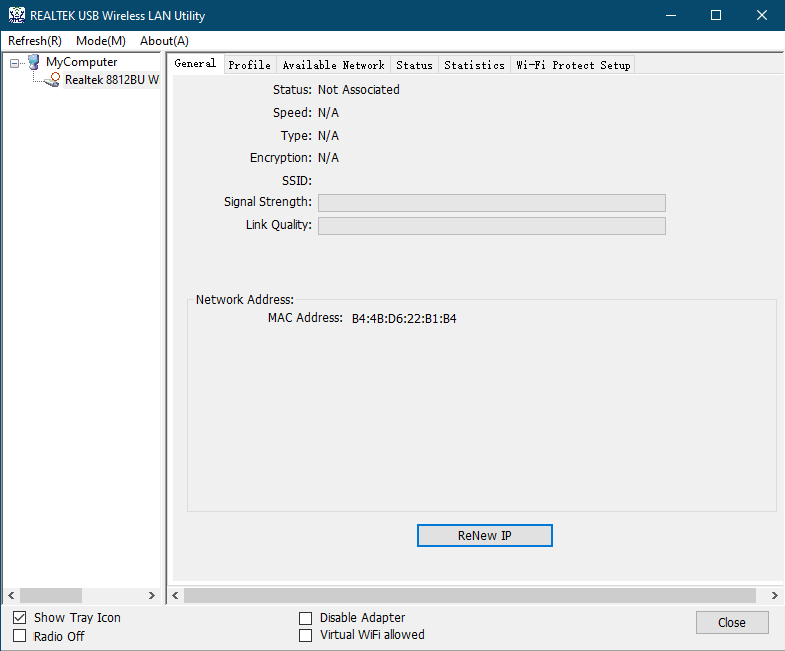
Jo daži lietotāji vēlas instalēt tikai draiveri un nevēlas instalēt utilītu 'REALTEK USB Wireless LAN Utility'. Tad lietotāji pārvaldīs Wi-Fi savienojumu, izmantojot noklusējuma Windows utilītu, nevis "REALTEK USB Wireless LAN Utility".
| REALTEK USB Wireless LAN Utility (Nav ieteicams) |
No noklusējuma Windows utilīta (Ieteicams) |
< |
 |
1)Izņemiet USB Wi-Fi adapteri no datora.
2)Izņemiet no datora visas pārējās USB ierīces, izņemot tastatūru un peli.
3)Atinstalējiet USB Wi-Fi adaptera draiveri un utilītu, kas ir instalēts.
4)Pārstartējiet datoru.
5)Izdzēsiet no datora šādus failus un direktoriju, ja tādi ir. (Vai arī varat tos pārdēvēt un saglabāt.)
C:\Windows\System32\drivers\rtwlanu.sys
C:\Program Files\Realtek
C:\Program Files (x86)\Realtek\USB Wireless LAN Driver
C:\Program Files (x86)\Realtek\USB Wireless LAN Utility
6)Uzslēdziet visus nevajadzīgos utilītprogrammatūras.
7)Deaktivizējiet ugunsmūri, tostarp Windows Defender.
8)Saņemiet jaunāko draiveri no šāda URL un palaidiet setup.exe.
2 comments
@
Dear Duane,
You can download the driver of your adapter on the website below.
https://www.cudy.com/pages/download-center/search
In addition, you can also use some software that can help the computer to install driver of the hardware. like Driver Booster, etc.
http://www.iobit.com/en/driver-booster.php
“This website is a piece of shit. Nothing works and I will be returning your shit wifi card, too. How should I install something without drivers you morons.”
This website is a piece of shit. Nothing works and I will be returning your shit wifi card, too. How should I install something without drivers you morons.