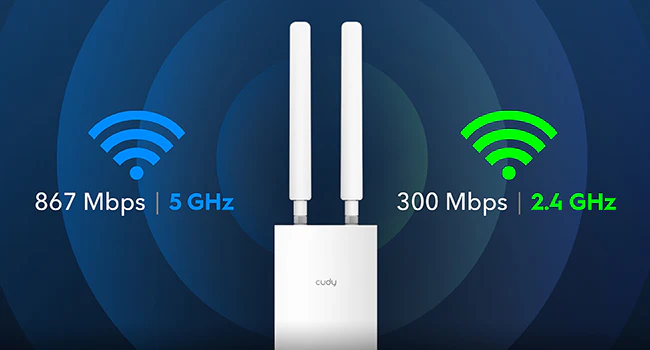
Con MU-MIMO y funciones de doble banda, el AP/RE Wi-Fi AC1200 puede conectar más de 30 dispositivos con una latencia mínima. El número máximo de conexiones simultáneas por AP/RE es de 128 dispositivos. No dispone de modo autónomo y requiere una puerta de enlace.
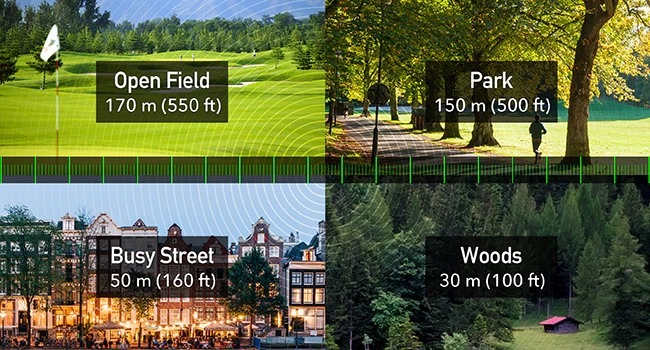
Cobertura Wi-Fi mejorada con Beamforming
Tested Wi-Fi coverage performance in four scenarios, achieved by Beamforming technology and two external antennas. If your space is too large for one access point to cover, you can expand your Wi-Fi coverage into a Mesh network by adding another Cudy RE/AP.
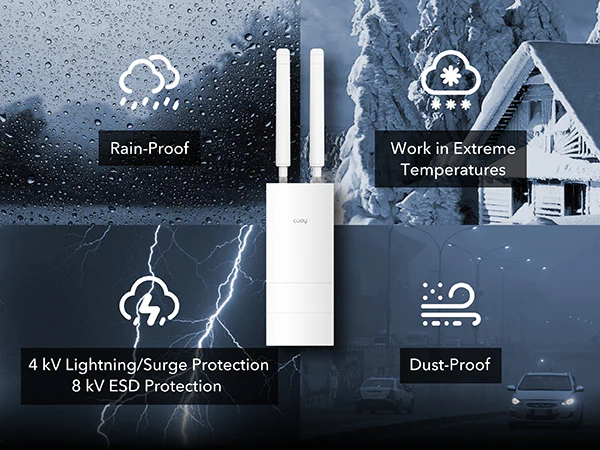
Funciona bajo la lluvia, truenos, polvo, calor y frío.
El RE/AP cuenta con una carcasa con certificación IP65 que lo protege de la lluvia y el polvo cuando se instala verticalmente. También cuenta con protección contra rayos/sobretensiones de 4 kV y ESD de 8 kV para una mayor fiabilidad en tormentas eléctricas. Su temperatura de funcionamiento oscila entre -40 °F y 149 °F (-40 °C y 65 °C).
Funciona bajo la lluvia, truenos, polvo, calor y frío.
El RE/AP cuenta con una carcasa con certificación IP65 que lo protege de la lluvia y el polvo cuando se instala verticalmente. También cuenta con protección contra rayos/sobretensiones de 4 kV y ESD de 8 kV para una mayor fiabilidad en tormentas eléctricas. Su temperatura de funcionamiento oscila entre -40 °F y 149 °F (-40 °C y 65 °C).
Satélite de malla Cudy
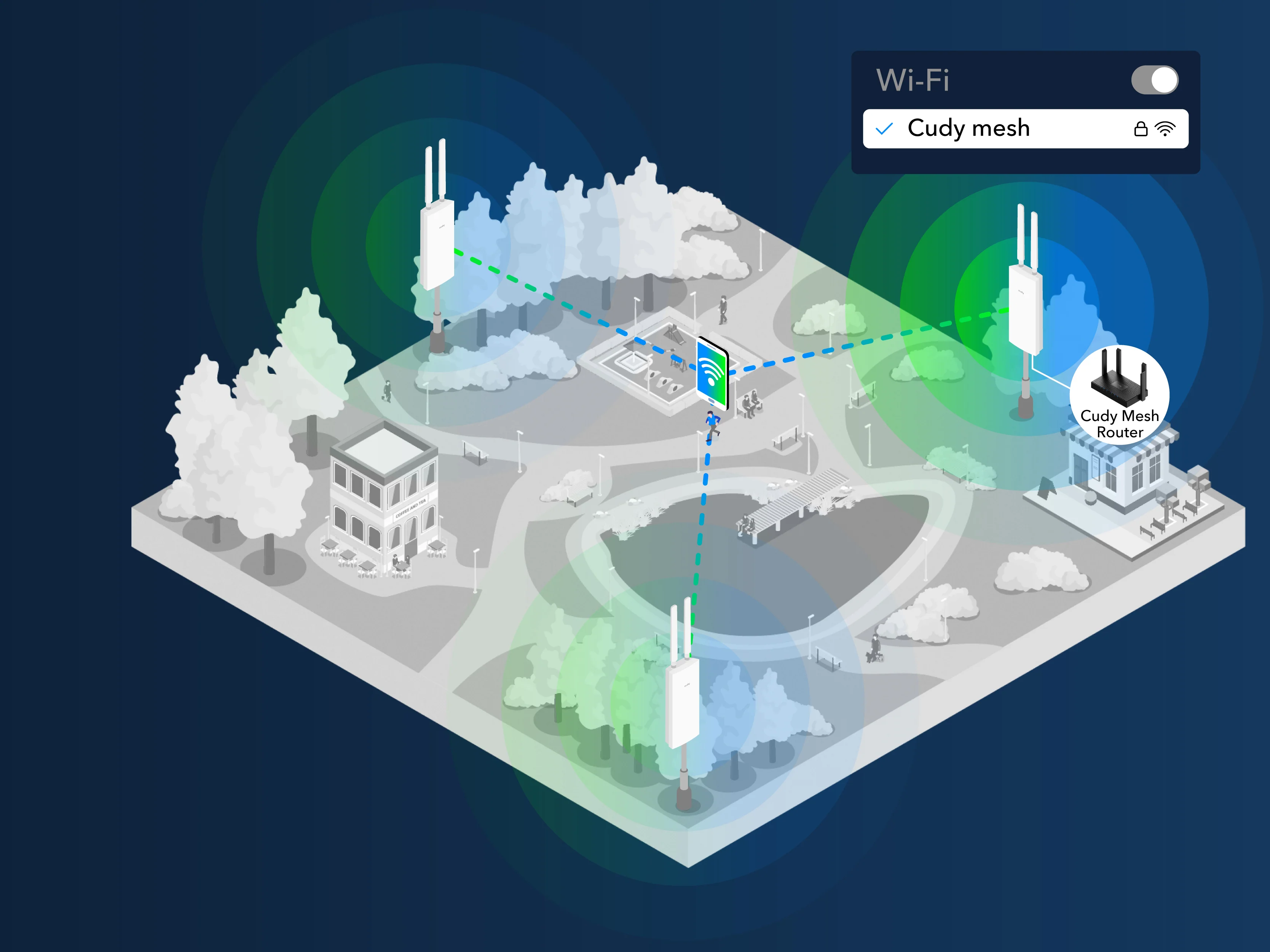
Roaming continuo para una experiencia Wi-Fi fluida
Enhance the Wi-Fi experience for your visitors by implementing a unified Wi-Fi name across your entire premises. Add this AP/RE behind a mesh router/AC, enjoy uninterrupted roaming as clients seamlessly connect to the strongest available Wi-Fi node without manual switching.
Satélite de malla Cudy
Roaming continuo para una experiencia Wi-Fi fluida
Enhance the Wi-Fi experience for your visitors by implementing a unified Wi-Fi name across your entire premises. Add this AP/RE behind a mesh router/AC, enjoy uninterrupted roaming as clients seamlessly connect to the strongest available Wi-Fi node without manual switching.
Instalación de malla plug-and-play
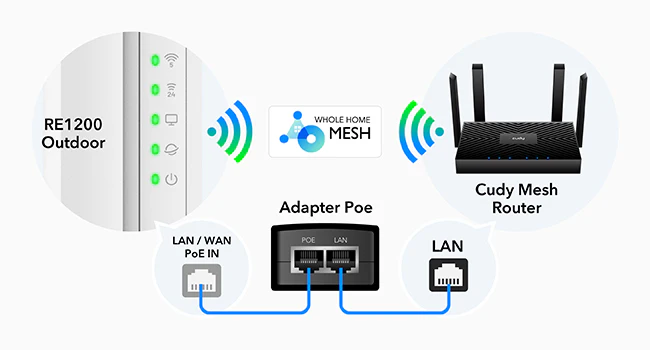
Simplemente conecte y desconecte para la configuración en malla
Connect the PoE adapter LAN port to a Cudy Mesh AP/router/AC to add the new RE/AP to the Mesh network. Feel free to unplug it or keep using Ethernet backhaul after pairing.
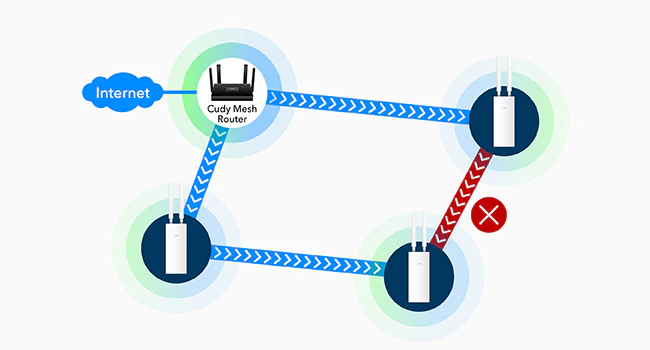
Deje el resto al enrutamiento adaptativo
Adaptive Routing improves the system's awareness of the capacity used by each node. Once the backhaul path is jammed by clients or interfered with by environmental factors, it will automatically switch to a better path for improved stability.
Guía de cableado e instalación física
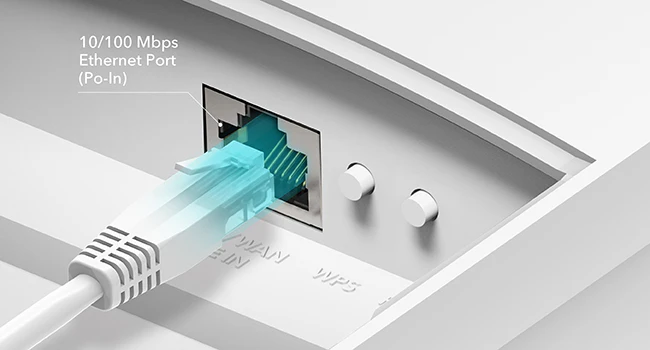
Puerto Ethernet con PoE
Adapter included for —
24 V Passive PoE (Adapter included, not waterproof)
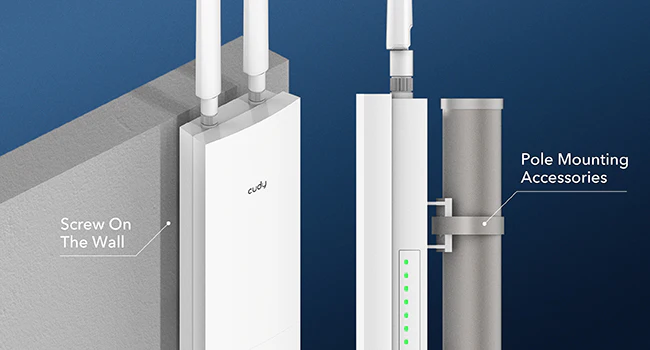
Kit de montaje incluido
A mounting kit is included in the box, supporting—
Wall-Mounting
Pole-Mounting
Aplicación Cudy
Manage your network from your phone. This model supports local control via the Cudy App.
A pole/wall-mounted range extender with IP65 casing and PoE, featuring Access Point, RE, and Cudy Mesh modes. It requires a router to work as a gateway in front of it.
IP65, -40~65°C (-40~149°F), 4kV Surge
PoE pasivo de 24 V
Wi-Fi 5 de doble banda
1 puerto Ethernet rápido
30 dispositivos conectados
1
Satélite de malla Cudy
Backhaul simultáneo multibanda
Red de retorno Ethernet
Compartir
Tamaño de la tarjeta de información: 10 × 15 cm
¿Qué hacer a continuación?
Edit: Right click the content you want to edit and click "Inspect" to edit it.
Imprimir/Guardar:Haga clic derecho en el navegador y haga clic en "Print", save it as PDF or print it directly. Check print settings below if it's your first-time printing.
Print Settings:
Check the option "Background graphics" to enable gray background.
Uncheck the option "Headers and footers" to remove page information.
Cut:
Refer to the gray border line to cut out the finished InfoCard.
It's recommended to use third-party tools to merge the files before printing to save paper when printing multiple InfoCards.
El rendimiento real de varios dispositivos puede verse afectado por los tipos de aplicaciones utilizadas, el ancho de banda total disponible y las capacidades de sus dispositivos.
Al seleccionar una opción, se actualiza toda la página.